


Publish date:
Zoho and Salesforce are the two most-searched CRM platforms for a reason — they solve the same core problem (managing leads, deals, and customer relationships) but for very different stages of business. Zoho CRM is built for speed and affordability: most teams are live within days, starting at $14/user/month. Salesforce is built for depth and scale: it costs more and takes longer to set up, but very few CRMs can match what it does once fully implemented.
We compared both platforms hands-on — pricing tiers, features, real implementation costs, and where each one starts to show its limits — so you can pick based on where your business actually is today, not just a feature checklist.
Key Takeaways
-
Zoho CRM starts at $14/user/month; Salesforce starts at $25/user/month but jumps to $80–$165/user/month at the tiers most growing sales teams actually need.
-
Real first-time implementation cost (10 users): Zoho ≈ $2,198–$4,198. Salesforce ≈ $3,750+ through a certified Quickstart partner — but Salesforce's ceiling for what it can eventually do is far higher.
-
Zoho is easy to self-implement. Salesforce almost always needs a certified consultant or admin once you go beyond basic setup — that's the trade-off for its depth.
-
Zoho fits best for teams with fairly standard sales processes up to ~50–100 users. Salesforce fits best once you need multi-department automation, deep customization, or you're scaling past Zoho's tier limits.
Bottom line: choose Zoho if cost and speed matter most right now. Choose Salesforce if you're building for scale and can invest in proper implementation.
Zoho vs. Salesforce: Quick Comparison
| Factor | Zoho CRM | Salesforce Sales Cloud |
|---|---|---|
| Starting price | $14/user/month | $25/user/month |
| Growth-tier price | $40/user/month (Enterprise) | $165/user/month (Enterprise) |
| Free plan | Yes, up to 3 users | No (30-day trial only) |
| Implementation | Self-serve, 1–2 weeks | Usually needs a certified partner, 4–8+ weeks |
| Task & issue tracking | Dedicated built-in module | Not purpose-built — pipeline-focused |
| AI assistant | Zia (from Enterprise tier) | Einstein (deeper, from Professional tier up) |
| Integrations | Zoho ecosystem + 100+ connectors | AppExchange — 7,000+ apps |
| Best fit | Startups, SMBs, simple sales processes | Multi-department orgs, complex or scaling workflows |
Zoho wins on price and setup speed. Salesforce wins on depth, AI, and how far it can scale with you—which is where most of its higher cost comes from.
Salesforce Sales Cloud vs Zoho CRM: Detailed Feature Comparison
When choosing between Salesforce Sales Cloud and Zoho CRM, most businesses consider pricing, scalability, automation, AI features, and overall functionality. Here’s a straightforward comparison to highlight the key differences.
Pricing & Value: Full Tier Breakdown
Salesforce Sales Cloud Pricing
Salesforce offers multiple pricing tiers designed for growing businesses and enterprises:
| Plan | Price/user/month | What you actually unlock |
|---|---|---|
| Starter Suite | $25 | Basic sales + service tools, limited customization |
| Professional | $80 | Full sales CRM, forecasting, quotes (no workflow automation) |
| Enterprise | $165 | Workflow automation, API access, advanced reporting |
| Unlimited | $330 | Unlimited customization, premier support, sandbox environments |
| Einstein 1 Sales | $500 | Full Einstein AI + Agentforce, predictive analytics at scale |
Salesforce is a leading CRM platform, and its prices match the advanced features and strong capabilities it offers businesses.
Zoho CRM Pricing
Zoho CRM is known for its affordability and value-driven pricing:
| Plan | Price/user/month | What you actually unlock |
|---|---|---|
| Free | $0 (up to 3 users) | Contacts, leads, basic reports, web forms |
| Standard | $14 | Canvas UI designer, custom dashboards, social integration |
| Professional | $23 | SalesSignals, webhooks, Google Ads integration, inventory tools |
| Enterprise | $40 | Zia AI, advanced customization, developer SDK |
| Ultimate | $52 | Zoho Analytics (BI), higher storage & feature limits |
Day-to-Day Usability & Task Management
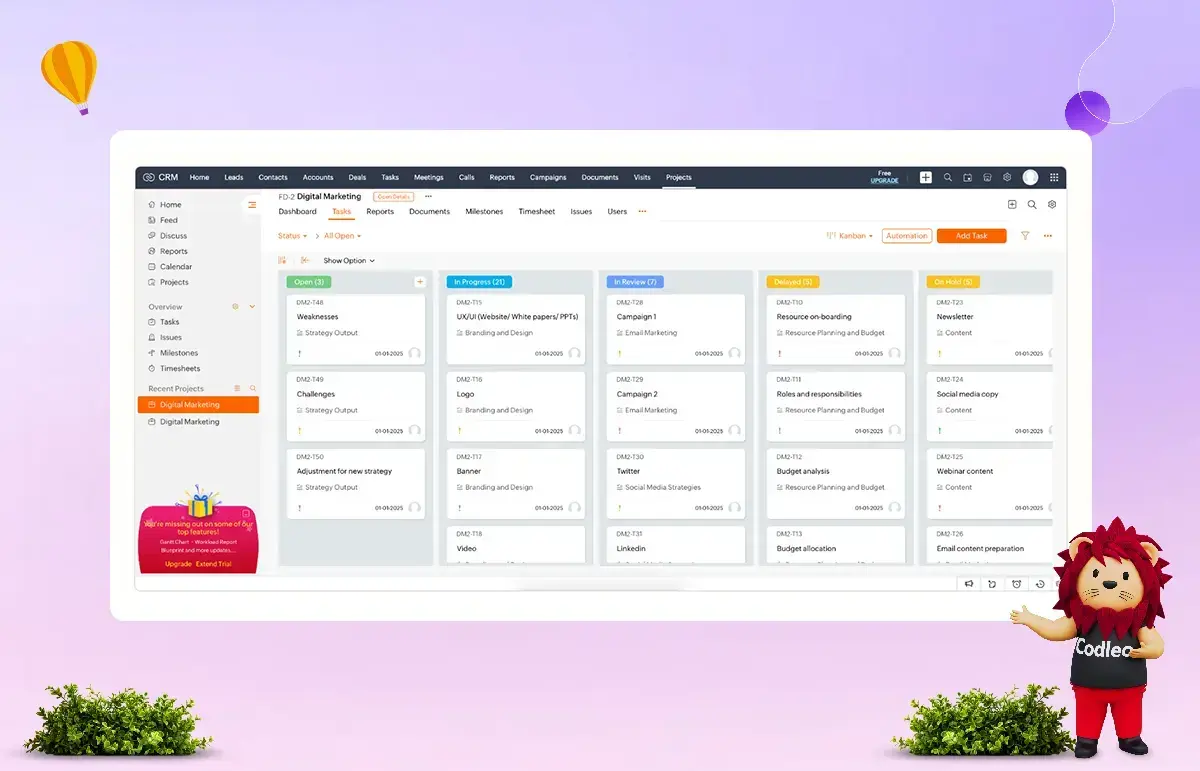
Zoho CRM has a real edge here. Its Projects dashboard and dedicated issue-tracking module let service and sales teams manage tasks, tickets, and follow-ups without leaving the CRM — something most teams don't expect from a sales tool. It's visually simple and works out of the box.
Salesforce doesn't try to compete on this. It's built around the sales pipeline, not daily tasks or project management — there's no equivalent issue-tracking module. What you get instead is a more complete picture of the account: every task sits inside a broader view of opportunities, activities, and forecasting, which matters more once a business has multiple departments touching the same customer record.
if daily task and issue tracking is your main pain point, Zoho solves it natively. If you need that task data connected to a bigger sales and reporting picture, Salesforce's approach pays off — but usually only once you have the process maturity to use it.
Scalability: Which CRM Grows With You
Zoho CRM scales comfortably from a 3-person team to a few hundred users, with pricing that increases gradually rather than jumping between tiers. Its wider Zoho ecosystem (Books, Desk, Analytics, Mail) means growing businesses can add finance, support, or marketing tools without leaving the platform.
The limits show up at the high end. Even on the Ultimate plan, things like custom fields, scoring rules, and validation rules are capped — fine for most mid-sized businesses, but a real constraint for companies with complex, multi-department workflows.
Salesforce has no such ceiling. Its architecture is built for enterprise scale from the ground up — unlimited customization on higher tiers, multiple sandboxes for testing, and a multi-cloud setup (Sales, Service, Marketing, Commerce) that lets large organizations run every customer-facing function on one connected data model. That's also exactly why it costs more and takes longer to implement — the scalability and the complexity come from the same place.
Zoho scales well up to a point. Salesforce is built for the point after that — unlimited customization, multiple departments, and workflows that outgrow what a single CRM module can handle. If you're already seeing early signs of hitting Zoho's ceiling, that's usually the right time to do a proper scalability assessment before you migrate, not after.
Automation Capabilities
Zoho CRM covers the automation most small and mid-sized teams need — workflow rules for repetitive tasks, macros for follow-ups and lead updates, and Blueprint for guided, approval-based processes. Each module supports up to 30 workflow rules (15 active at a time) and 10 assignment rules, which is enough for most standard sales processes, though larger teams sometimes find these caps restrictive.
Salesforce automation goes deeper at every level. Flow Builder handles complex, multi-step, cross-object automation with conditional logic, and assignment rules scale up to 2,000 at the platform level. Higher tiers add AI-assisted macros with natural language support. This is where Salesforce's higher price actually shows up in daily use — automation that needs custom scripting elsewhere is often point-and-click in Salesforce Enterprise and above.
Zoho automates the basics well. Salesforce automates at a scale most growing or multi-department teams eventually need—if you're already hitting Zoho's rule limits, that's usually a sign it's worth talking to someone about what a Salesforce automation setup would replace.
AI Features
Zoho's AI assistant, Zia, is included from the Enterprise tier onward. It handles predictive lead scoring, workflow suggestions, anomaly detection when metrics deviate from normal patterns, and basic cohort analysis for tracking customer segments. It's genuinely useful for day-to-day sales work, at a fraction of Einstein's cost.
Salesforce Einstein is deeper and more broadly integrated — generative AI for content and emails, predictive forecasting, and Generative Canvas for AI-assisted views. Higher tiers unlock Agentforce, which runs more autonomous AI agents rather than just surfacing insights. The trade-off is real: Einstein performs best with large, clean datasets and proper setup — smaller teams often don't have enough data volume to see its full value.
Zoho's AI is accessible and practical for smaller teams. Salesforce's AI is more powerful but needs data maturity and setup investment to pay off — worth an honest assessment of whether your data is ready before upgrading tiers just for the AI features.
The Real Difference Between Zoho and Salesforce
Zoho was built from day one for small and mid-sized businesses — fast setup, wizard-style customization, no dedicated admin required. Salesforce was built for enterprise-scale operations — deep customization and unlimited flexibility, at the cost of needing real expertise to run it well. Both now serve businesses of every size, but that original design goal still shows up in everything from pricing to setup time.
Five Questions to Ask Before You Choose
-
How much setup help can you realistically afford? If the answer is "none, we need to self-serve," Zoho is the safer starting point. If you already have or can budget for an admin or consultant, Salesforce's ceiling is worth the investment.
-
Is your sales process still evolving, or already complex? Simple, standard pipelines run fine on Zoho. Multi-department processes, approval chains, or territory-based selling need Salesforce's automation depth.
-
How many users will you have in 18 months, not today? Zoho's pricing stays gentle as you scale to a few hundred users. Past that — or with complex org structures — Salesforce's architecture holds up better.
-
Do you need one connected ecosystem, or best-of-breed tools? Zoho's own apps (Books, Desk, Analytics) work well together out of the box. Salesforce's AppExchange gives you more choice, but usually at extra cost per integration.
-
Is AI a nice-to-have or a core requirement? Zia covers the basics affordably. Einstein and Agentforce are more capable, but they need clean, high-volume data to actually pay off — worth checking if your data is there yet.
If more than two of these point toward Salesforce, it's usually worth a proper needs assessment before committing to a plan — the tier you pick on day one is expensive to get wrong.
Salesforce – Comprehensive Capabilities for Enterprise-Scale Operations
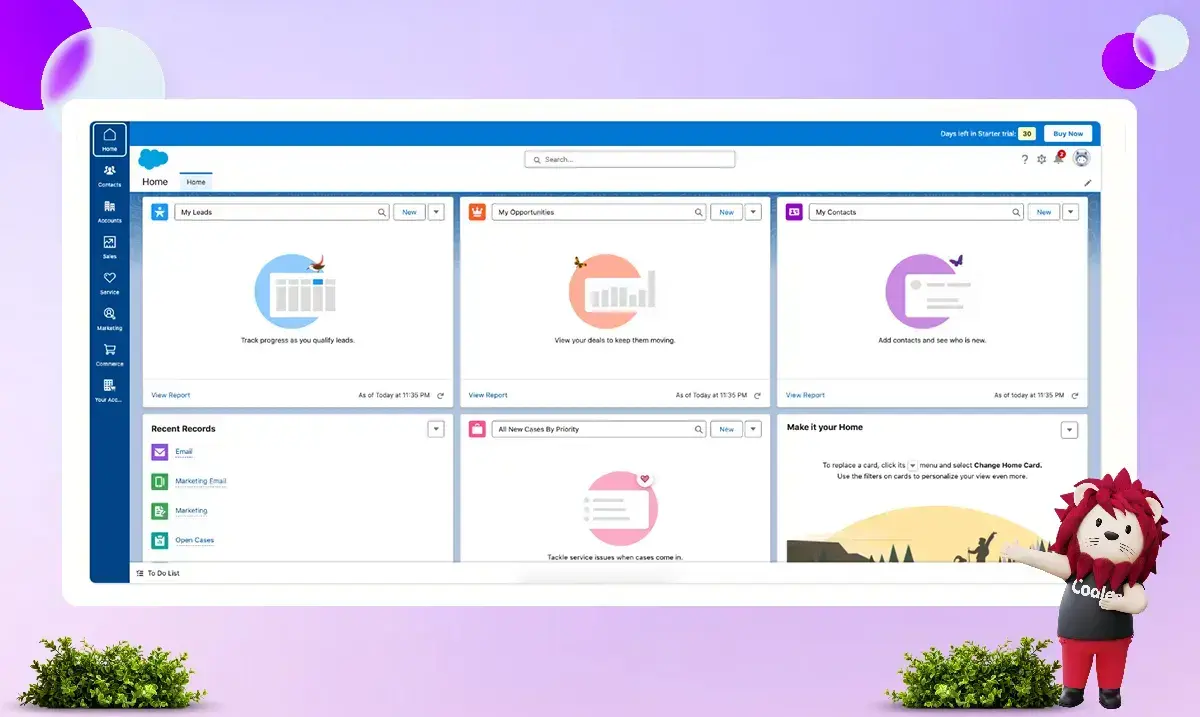
Salesforce is widely regarded as one of the most comprehensive and customizable CRM platforms available today. Its massive ecosystem of integrations, add-ons, cloud products, and certified consultants means it can be tailored to nearly any business requirement.
Even without third-party extensions, Salesforce offers one of the most extensive out-of-the-box feature sets in the CRM industry.
Key Advanced Features
Beyond standard CRM basics, Salesforce provides:
-
Configure, Price, Quote (CPQ) functionality
-
AI-powered real-time sales insights and forecasting
-
Internal collaboration tool (Chatter)
-
Multiple developer sandboxes for testing and development
-
Lead registration and sharing tools
-
No-code app development with Lightning App Builder
-
Advanced forecasting and pipeline management
This depth of functionality makes Salesforce particularly well-suited for enterprise organizations with complex processes, multiple departments, and long-term scalability goals.
However, smaller businesses may not need the full range of capabilities Salesforce offers. Companies may prefer a simpler system with fewer features, easier management, and lower overhead.
Product Capabilities: Which One Should You Choose?
-
Choose Zoho CRM if you want an affordable option that is easy to customize and has strong built-in AI features. It is less complex than enterprise-level solutions.
-
Choose Salesforce if you need to customize your system, use advanced tools for large businesses, and have a platform that can grow with your organization globally.
3. Pricing
Pricing is one of the most important factors when choosing between Zoho CRM and Salesforce. While both platforms offer tier-based pricing models, their cost structures and overall affordability differ significantly.
Zoho CRM – Affordable and Flexible Pricing Structure
Zoho CRM is widely regarded as a cost-effective CRM solution suitable for businesses of all sizes.
Free Plan
Zoho offers a basic free version that includes:
-
Contact, deal, task, and calendar management
-
Standard reports
-
Basic customization
-
Web forms
-
Basic email automation
-
API access
-
Team messaging
-
Document storage
This free plan allows up to three users per organization, which is great for startups or very small teams. If your business needs more than three users, you will need to upgrade to a paid plan.
Paid Plans & Scalability
Zoho CRM provides flexible billing options, including both annual and monthly payments (monthly plans include a small premium). Unlike many competitors, Zoho does not require a minimum number of users, and the cost per additional user remains consistent across tiers.
Another advantage is the relatively small pricing jump between tiers. The difference between the Standard and Ultimate plans is modest compared to many other CRM platforms.
Key Features Added at Each Tier
-
Standard – Canvas UI designer, social media integration (including data enrichment), custom dashboards, reports, and KPIs
-
Professional – SalesSignals, webhook access, validation rules, lead assignment rules, Google Ads integration, and inventory management tools
-
Enterprise – Zia AI helps with marketing by tracking customer sources, segmenting customers, and streamlining approval and review processes. It offers better customization and provides developers with tools, including access to a software development kit (SDK) and a testing environment.
-
Ultimate – Advanced business intelligence via Zoho Analytics and higher feature limits
This tier structure is designed intelligently. Each level introduces meaningful feature enhancements while keeping price increases manageable.
Overall, Zoho CRM remains highly competitive on pricing for small, mid-sized, and even larger organizations.
Salesforce – Premium Pricing with Enterprise Focus
Salesforce is positioned as a premium CRM platform, and its pricing reflects that.
Free Trial & Commitment
Salesforce offers a 30-day free trial with access to its full feature set. However:
-
There is no free-forever version.
-
After the trial, users must commit to an annual contract.
-
Monthly rolling contracts are not available.
For smaller businesses, this long-term commitment may be a barrier.
Tier Limitations & Cost Escalation
Salesforce’s entry-level plan is only available for businesses with up to 10 users. Once a business exceeds that limit, it must upgrade to a higher-tier plan, resulting in a significant increase in costs.
Additionally:
-
Professional, Enterprise, and Unlimited plans are considerably more expensive per user than most competing CRMs.
-
The Enterprise tier is significantly more expensive than similar-tier plans on platforms like Zoho CRM.
While higher tiers include advanced features such as workflow automation, Lightning Platform tools, advanced team management, and 24/7 support (at the highest level), the price increases are substantial.
Hidden & Additional Costs
The subscription fee is often not the total cost of ownership for Salesforce. Businesses should also consider:
-
Paid third-party apps from the AppExchange marketplace
-
Implementation and customization expenses
-
Ongoing administrator or consultant support
Salesforce is very customizable and complex. Because of this, many organizations need professional help for implementation, which increases the overall investment.
Pricing Comparison: Final Perspective
-
Zoho CRM is a great choice for businesses that want an affordable, flexible solution with clear costs as they grow.
-
Salesforce works best for large companies that need extensive customization and are ready to invest more over the long term.
In short, Zoho offers strong value for money, while Salesforce delivers enterprise-grade capability at a premium price.
4. Scalability
Scalability is a critical factor when choosing a CRM, especially for businesses planning long-term growth. While both Zoho CRM and Salesforce offer scalable solutions, they approach growth and expansion very differently.
Zoho CRM – Smooth Scaling for Growing Businesses
Zoho CRM helps small and mid-sized businesses grow. Its flexible pricing makes it easier to expand without breaking the budget. The small cost differences between pricing tiers make planning for growth more straightforward.
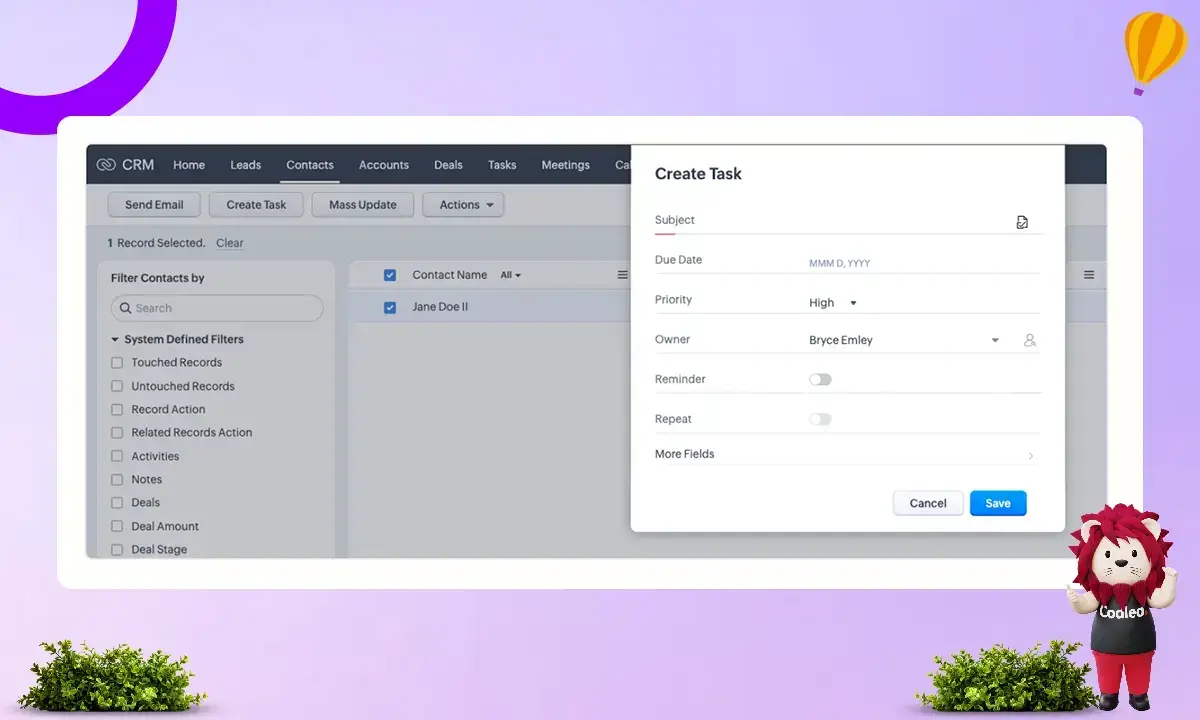
Zoho's pricing increases gradually across plans, helping businesses upgrade features without sudden cost jumps. It makes Zoho appealing to startups and growing companies looking to manage expenses as they expand.
Ecosystem Advantage
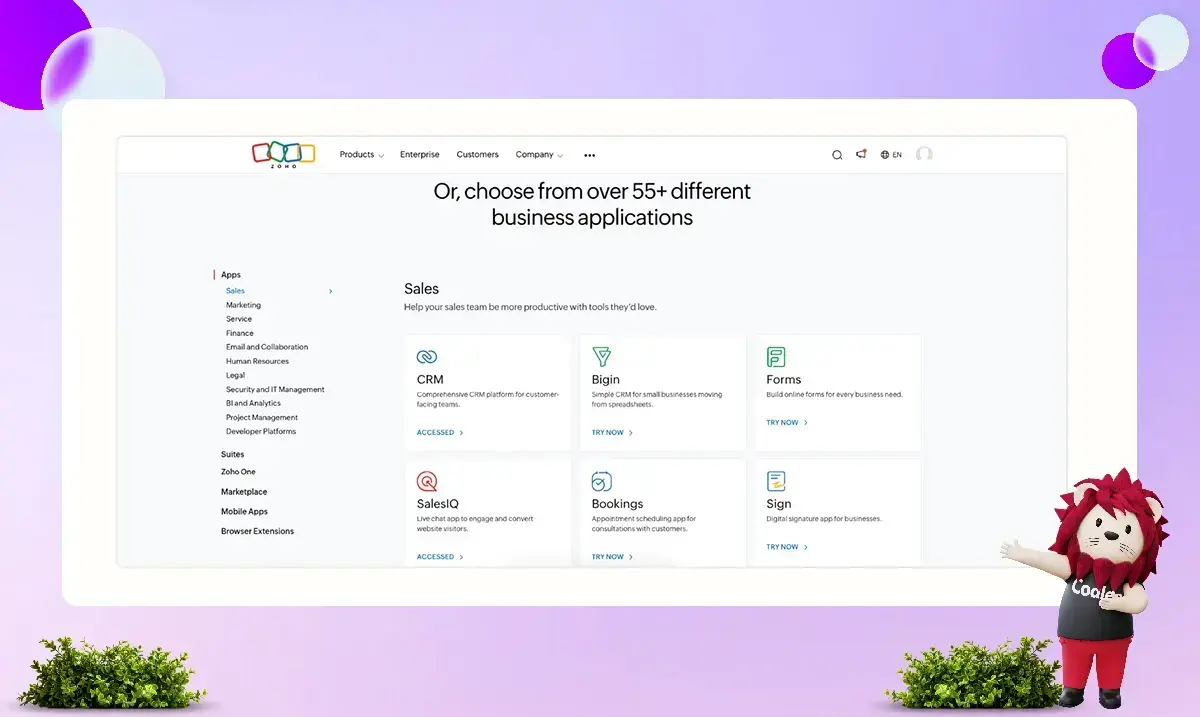
Another major strength is the broader Zoho ecosystem. Zoho offers a wide range of complementary business applications, including tools for:
-
Marketing automation
-
Accounting and finance
-
HR management
-
Project management
-
Customer support
These products share a consistent user experience and integrate smoothly with Zoho CRM. Together, they create a unified business operating system that simplifies workflows and reduces integration challenges.
Is Zoho Suitable for Enterprises?
Zoho CRM works well for many mid-sized and even large businesses. However, for highly complex enterprises with advanced customization needs, there may be limitations.
Even at the Ultimate tier, certain elements—such as the number of custom fields, scoring rules, and validation rules—are capped. Organizations requiring unlimited flexibility and deeply customized workflows may find these restrictions limiting.
In summary:
-
Zoho is excellent for scaling from small to mid-sized operations.
-
It offers strong value for money.
-
It may not provide the limitless customization that very large enterprises require.
Salesforce – Built for Enterprise-Scale Operations
Salesforce was designed primarily for enterprise users. Its scalability is virtually unmatched in the CRM industry due to its:
-
Deep customization capabilities
-
Extensive integration ecosystem
-
Advanced cloud-based architecture
-
Global partner and consultant network
Large organizations benefit significantly from Salesforce’s ability to customize workflows, data models, automation processes, and reporting structures far beyond standard CRM capabilities.
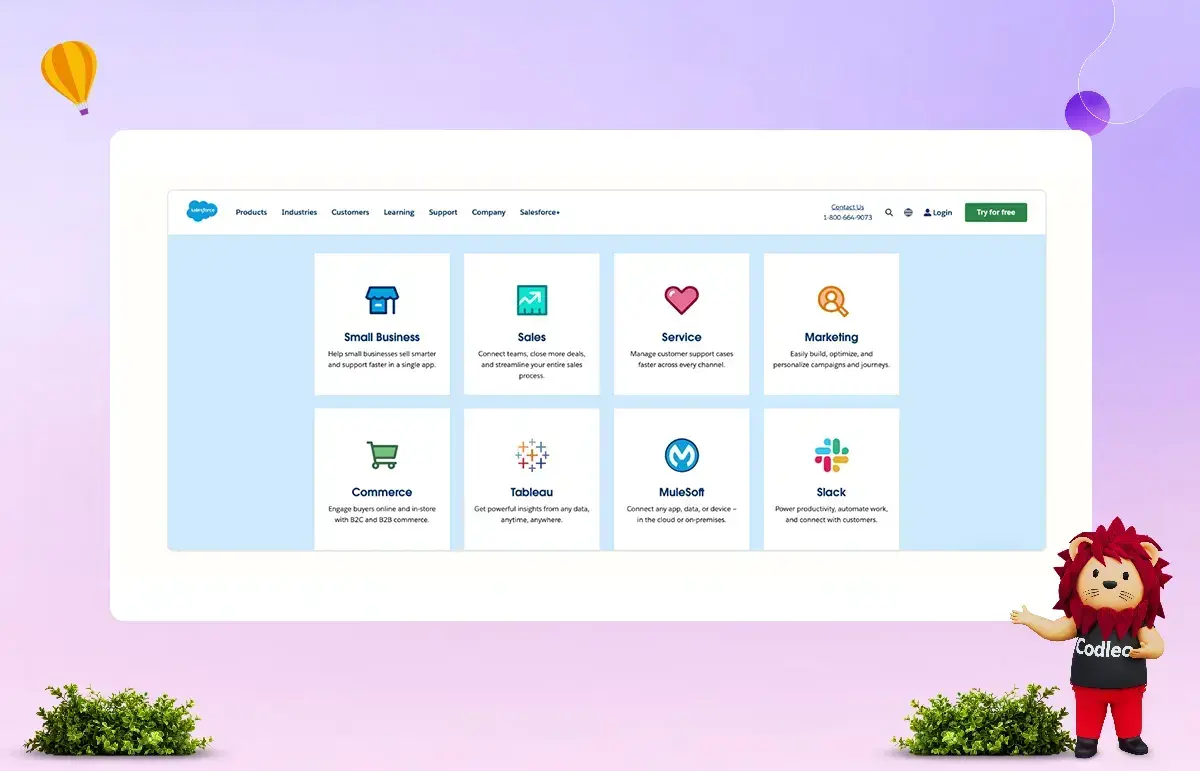
Multi-Cloud Ecosystem
Salesforce Sales Cloud is part of a larger set of business platforms.
Each of these clouds is built around CRM data but optimized for different business functions. When deployed together, they create a highly integrated system that minimizes data silos and improves cross-department collaboration.
Scalability vs Cost Consideration
While Salesforce offers exceptional scalability, it comes with:
-
Higher subscription costs
-
Steeper learning curves
-
Greater implementation complexity
For small and mid-sized businesses, using Salesforce can be harder during the early stages of growth due to certain challenges.
Scalability Comparison: Which CRM Grows with You?
-
Zoho CRM is ideal for businesses scaling steadily and seeking affordable, structured growth.
-
Salesforce is ideal for organizations that operate at scale or require significant customization and integration across multiple clouds.
Zoho is good for gradually growing a business with lower costs, while Salesforce is better for handling large, complex business needs.
5. Integrations and App Ecosystems
Integrations are important when choosing a CRM platform. Connecting your CRM to marketing tools, finance software, phone systems, and productivity apps affects how smoothly your entire tech setup runs.
Zoho CRM and Salesforce both have large systems, but they differ in how they work and their costs.
Zoho CRM – A Broad Ecosystem of Lightweight Business Tools
Zoho CRM is part of a large suite of business SaaS applications developed within the Zoho ecosystem. These include tools for:
-
Customer support (Zoho Desk)
-
Password management (Zoho Vault)
-
Email hosting (Zoho Mail)
-
Accounting (Zoho Books)
-
Payment processing (Zoho Checkout)
-
And many more
Most Zoho products are:
-
Fully standalone applications
-
Easy to integrate into existing workflows
-
Cost-effective compared to many competitors
It makes Zoho particularly attractive to small and growing businesses looking for affordable, connected tools within a single ecosystem.
Native Integrations
Zoho CRM offers a variety of native integrations to enhance its functionality, including:
-
Productivity tools such as Zapier, Trello, and many others
-
Telephony solutions like Ring.io, Amazon Connect, and over 100 additional providers
-
Finance tools such as QuickBooks, PayPal, and other accounting applications
Zoho also offers an extensive marketplace of add-ons that allow businesses to:
-
Customize CRM for specific industries
-
Extend functionality
-
Integrate third-party tools
API & Webhook Access
All Zoho CRM users have access to its API, though the number of API calls increases with higher-tier plans.
One limitation is that webhooks are only available from the Professional tier onward, and even then, with usage limits. In some scenarios, relying primarily on APIs rather than webhooks can affect operational speed.
Despite this minor limitation, Zoho CRM offers a strong, lightweight, and affordable integration ecosystem that works especially well for small and mid-sized businesses.
Salesforce – Enterprise-Grade Integrations at Scale
Salesforce is widely known for having one of the most comprehensive app ecosystems in the CRM industry.
It is largely due to:
-
Its long-standing presence in the SaaS market
-
A strong focus on deep customization
-
An ambition to serve as a central hub for all business operations
Salesforce AppExchange
The Salesforce AppExchange is one of the most mature and extensive SaaS marketplaces available. It includes:
-
Thousands of pre-built applications and integrations
-
Lightning-ready components
-
Industry-specific CRM configurations
-
Access to certified consultants and implementation partners
Many businesses can configure Salesforce to manage nearly every business function, from sales and marketing to customer service and commerce.
Customization & Development Flexibility
Salesforce provides:
-
Lightning App Builder for no-code app development
-
Multiple APIs for deep system integrations
-
Enterprise-level customization tools
-
You can connect with many certified consultants.
However, many advanced integrations and add-ons are paid solutions. In some cases, certain APIs and web services require higher-tier plans or additional licensing.
As a result, while Salesforce offers unmatched flexibility and scalability, the total cost of integrations can increase significantly depending on business needs.
Integration Comparison: Which Ecosystem Is Better?
-
Zoho CRM offers an affordable, streamlined ecosystem that works extremely well for small to mid-sized businesses seeking simplicity and cost efficiency.
-
Salesforce provides unmatched enterprise-level flexibility and a massive marketplace, but often at a higher financial investment.
In summary, Zoho delivers lightweight, cost-effective integrations, while Salesforce excels in large-scale, deeply customized enterprise environments.
Zoho Corporation vs Salesforce: Complete CRM Comparison (2026)
Choosing the right CRM can boost your sales, improve marketing efficiency, and enhance customer experience. This comparison compares Zoho and Salesforce across sales, marketing, customer support, analytics, automation, and integrations. This way, you can decide which CRM is best for your business.
Zoho vs Salesforce: Sales Features
Both CRMs are powerful, but they serve different levels of business complexity.
Lead & Opportunity Management
-
Zoho CRM: Manages the full sales cycle — lead capture, nurturing, and deal closure.
-
Salesforce CRM: Offers a centralized system with deep visibility into leads, accounts, opportunities, and activities.
Verdict: Zoho keeps things simple. Salesforce provides deeper visibility and smarter recommendations.
Sales Forecasting
-
Zoho: Forecasting based on roles and territories. Includes pipeline and rep performance tracking.
-
Salesforce: Highly customizable forecasting with real-time KPI tracking.
Verdict: Salesforce offers more advanced and customizable forecasting tools.
Sales Activities
-
Zoho: Detailed tracking of tasks, calls, events, and notes.
-
Salesforce: Centralized view of all engagement activities in one dashboard.
Multi-Currency Management
-
Zoho: Supports currency conversion and report exports in multiple currencies.
-
Salesforce: Also supports multi-currency transactions.
Products & Price Books
-
Zoho: Requires Professional plan ($35/user/month) for product configuration (limited to 10 products).
-
Salesforce: Flexible product catalog and pricing structures.
Sales Features – Final Verdict
-
Choose Zoho for a simple and affordable sales CRM.
-
Choose Salesforce if you need strong sales tools and the ability to grow your business.
Zoho vs Salesforce: Marketing Features
Marketing capabilities show a bigger gap between the two platforms.
Campaign Management
-
Zoho: Create and track campaigns directly within CRM.
-
Salesforce: Pre-built templates and advanced campaign optimization tools.
Mass Email Limits
-
Zoho: 250 emails/day per organization (sales-focused).
-
Salesforce: 5,000 emails/day per organization.
Email Templates
-
Zoho: Up to 100 templates.
-
Salesforce: Advanced email builder + customizable templates.
Advanced Marketing Tools in Salesforce
Salesforce offers:
-
Drag-and-drop email builder
-
Advanced customer segmentation
-
Einstein Send Time Optimization (STO)
-
Campaign Analytics
Marketing Features – Final Verdict
-
Choose Zoho for basic email campaigns.
-
Choose Salesforce if marketing is a major growth channel for your business.
Zoho vs Salesforce: Customer Support
Zoho CRM
-
The standard edition only provides email notifications when a case is created.
-
To use advanced support features, you need to upgrade to the Professional plan.
Salesforce Starter Suite
Includes:
-
Case management
-
Email support
-
Knowledge base
-
Custom email templates
Customer Support – Final Verdict
-
Choose Zoho if you don't need strong support.
-
Choose Salesforce if you need built-in customer service tools immediately.
Zoho vs Salesforce: Analytics Capabilities
Standard Reports
-
Zoho: Pre-built reports across CRM modules.
-
Salesforce: Real-time visual dashboards across sales, service, and marketing.
Custom Reports
-
Zoho: Up to 100 custom reports.
-
Salesforce: Advanced custom report builder + editable standard reports.
Dashboards
-
Zoho: Standard and custom dashboards.
-
Salesforce: Pre-built dashboards + advanced customization.
AI & Advanced Analytics
-
Zoho: Built-in cohort analysis.
-
Salesforce: AI-powered insights via Einstein and Generative Canvas.
Analytics – Final Verdict
-
Choose Zoho for tracking performance easily.
-
Choose Salesforce for decisions powered by AI and grounded in data.
Zoho vs Salesforce: Automation
Automation is where Salesforce becomes significantly stronger.
Macros
-
Zoho: Automates repetitive sales tasks (emails, follow-ups, lead updates).
-
Salesforce: AI-powered macros with natural language support.
Workflow Automation
-
Zoho: 30 regole per modulo (15 attive).
-
Salesforce: Salesforce Flow (up to 2000 flows per type).
Assignment Rules
-
Zoho: 10 rules/module.
-
Salesforce: 2,000 platform-level rules.
Automation – Final Verdict
-
Choose Zoho for simple sales automation.
-
Choose Salesforce for complex multi-department automation.
Zoho vs Salesforce: Integration Options
Zoho CRM
-
Up to 5 marketplace extensions (Standard plan).
-
Integrates with:
-
LinkedIn Sales Navigator
-
WhatsApp Business
-
Slack
-
Google Workspace
-
Other Zoho apps
-
Zoho is flexible and strong in third-party integrations.
Salesforce Starter Suite
-
Built-in ecosystem for sales, service, marketing, and commerce.
-
Integrates with Gmail and Outlook natively.
Integration – Final Verdict
-
Choose Zoho if you rely on many third-party tools.
-
Choose Salesforce if you prefer a unified ecosystem.
Zoho vs Salesforce: Implementation Cost (Real Breakdown)
When comparing CRM platforms, most businesses focus only on subscription pricing. But the real investment includes setup, training, customization, and onboarding.
Let’s break down the implementation costs of Zoho Corporation's CRM vs. Salesforce for a 10-user setup.
Zoho CRM Implementation Cost
One of Zoho CRM’s biggest advantages is that it can be self-implemented — especially if your business processes are simple.
If you already have:
-
Structured and clean data
-
Clearly defined sales processes
-
Basic understanding of CRM configuration
You can set it up internally using Zoho’s implementation guides and getting-started resources.
For a team of 10 users on the Zoho Standard plan:
-
The subscription cost would be $20 per user per month, totaling $200.
-
If you add online training for 2 users to help your team understand CRM usage and benefits, that would cost around $1,998.
-
Your total first-time cost would be approximately $2,198.
It makes Zoho one of the most affordable CRM platforms to implement — especially for startups and small businesses.
When Self-Implementation May Not Be Enough
Self-implementation works best when your processes are straightforward.
However, if:
-
Your workflows are complex
-
You need an automation setup
-
Data migration is messy
-
You require customization
You may need help from an implementation partner.
Zoho implementation partners typically charge between $500 and $2,000, depending on project complexity.
That brings your estimated total first-time investment to somewhere between $2,198 and $4,198.
In short, Zoho keeps implementation flexible and budget-friendly.
Salesforce Implementation Cost
Salesforce is more powerful — and with that power comes more complexity.
While Salesforce does offer guided onboarding for its Starter and Pro suites, many businesses prefer working with certified implementation partners to configure the system properly.
For example, companies often work with partners like Codleo, which specialize in customizing Salesforce according to specific business needs.
Codleo’s fixed-price Salesforce Quickstart packages start at $3,500 as a one-time implementation fee. It typically includes:
-
Requirement discovery sessions
-
CRM configuration
-
Custom setup
-
End-user training
For a 10-user setup on Salesforce Starter Suite ($25 per user per month), the subscription cost would be $250 per month.
When you add the $3,500 implementation package, your total first-time cost comes to approximately $3,750.
Salesforce implementation is generally more structured and partner-driven than Zoho's.
Which One Should You Choose?
Choose Zoho CRM if:
-
Your budget is limited
-
Your sales processes are simple
-
You can manage the setup internally
-
You want lower upfront costs
Choose Salesforce if:
-
You need professional implementation support
-
Your processes are complex
-
Multiple departments will use the CRM
-
You’re planning long-term scalability
Final Thoughts
If affordability and ease of setup are your main concerns, Zoho CRM clearly has the lower barrier to entry.
But if you’re building a system meant to scale across sales, service, and marketing — and you want expert-led configuration from day one — Salesforce justifies its higher implementation cost.
Final Verdict: Zoho CRM vs Salesforce
Both Zoho CRM and Salesforce place CRM at the center of a broader ecosystem of business SaaS tools. However, the philosophy behind each platform is fundamentally different.
Zoho built its CRM around the needs of small and growing businesses. Its focus has consistently been on simplicity, affordability, and quick implementation. Salesforce, on the other hand, was designed for enterprise organizations—prioritizing deep customization, scalability, and comprehensive functionality.
Although both platforms now serve businesses of all sizes, their origins are clearly reflected in what they emphasize and how their products are structured.
What Zoho CRM Prioritizes
Zoho CRM is centered around:
-
Ease of use
-
Fast onboarding
-
Affordable pricing
-
Simple customization
-
Seamless integration within the Zoho ecosystem
It delivers a high-quality CRM solution with standout features, including Canvas customization, built-in AI capabilities, and strong value at each pricing tier.
For small and mid-sized businesses (SMEs), Zoho offers an attractive balance between functionality and cost. Its easy-to-use tools make it especially attractive to companies looking to simplify their technology setup without incurring high implementation costs.
What Salesforce Prioritizes
Salesforce focuses on:
-
Advanced customization
-
Enterprise-grade scalability
-
Comprehensive feature depth
-
Multi-cloud integration
-
Extensive third-party ecosystem
Salesforce Sales Cloud sits at the core of one of the most powerful SaaS ecosystems available today. It is exceptionally capable and can be configured to handle highly complex business requirements.
However, this power comes with:
-
Higher subscription costs
-
Additional implementation expenses
-
A steeper learning curve
For large enterprises that require unlimited flexibility and global scalability, Salesforce is often the stronger long-term investment.
Which CRM Should You Choose?
-
Choose Zoho CRM if you are a startup, small business, or mid-sized company seeking affordability, ease of use, and quick deployment.
-
Choose Salesforce if your organization is large and requires extensive customization, advanced integrations, and sustainable growth across various business areas.
In shorts
-
Zoho is simple to use and offers great value for money.
-
Salesforce has greater power and is better suited to larger organizations.
 0
0
About the Author

FAQ
Salesforce CRM acquired Vlocity to enhance its support for industry-specific solutions. This acquisition helps Salesforce serve sectors like insurance, healthcare, manufacturing, and energy. In contrast, Zoho CRM also supports various industries, but it does not offer specific solutions for different sectors as Salesforce does.
You can easily move from Zoho CRM to Salesforce CRM. Codleo is a certified Salesforce partner. You can hire Salesforce developers there to help you with the migration from Zoho to Salesforce CRM.
Zoho is a good option for people looking for affordable pricing. Salesforce is better for businesses that need to scale their customer relationship management (CRM) systems. Zoho offers features similar to Salesforce's, but at lower prices. However, more advanced users at the enterprise level may find that they outgrow Zoho.
The features of a CRM depend on your business size and needs. A small business owner just starting might focus on free CRM software. An established small-business owner might need a CRM to help grow their business.
Yes, Zoho CRM offers a free plan with basic features and supports up to 3 users.
Salesforce does not offer a free version. However, you can try the Starter Suite or the Enterprise plan for free for 30 days.
Zoho CRM is a better choice for small businesses because it costs less and is easier to set up and use on your own. Salesforce is more powerful, but it can be complicated and expensive for very small teams.
Salesforce provides tools for automation, AI-based analytics, and support for multiple departments. It also allows for large-scale customization. These advanced features raise both subscription and implementation costs.
Zoho CRM is easier to set up on your own if your processes are simple and your data is organized. Salesforce usually requires professional help to implement because it is more complex and offers greater customization.
Yes, Zoho CRM can grow with businesses. However, for very large companies with complex workflows and many departments, Salesforce usually offers better scalability and flexibility.
Salesforce offers advanced automation tools for sales, marketing, service, and commerce. In contrast, Zoho mainly focuses on sales automation and has simpler workflow rules.
Salesforce provides advanced marketing tools, including AI, to improve campaigns and detailed analytics. Zoho is ideal for basic email campaigns and sales-focused marketing.
The main difference is in complexity and scale. Zoho CRM is affordable and user-friendly, ideal for small and growing businesses. Salesforce provides a comprehensive solution for larger organizations needing scalability and advanced process management.
Salesforce is a smart choice if your business requires advanced customization, automation, AI analytics, and cross-departmental collaboration. If you have simpler needs, Zoho could be a more cost-effective option.
Zoho CRM and Salesforce CRM both focus on keeping customer data secure and private. Zoho CRM uses tools like encryption, authentication, role-based access, and two-factor authentication. Salesforce CRM also uses encryption, authentication, role-based access controls, and access restrictions, along with data masking, to protect customer information.


 603 D-Mall Netaji Subhash Place, Delhi 110034 IND


