


Publish Date
- 25th November, 2026
What decides your real first-year cost
Most small business owners we talk to have the same picture of Salesforce in their heads. Big, expensive, built for companies with an IT department and a seven-figure software budget.
That picture is about five years out of date. Salesforce now has a free plan and a $25 starter plan, and its small business suites are meant to be switched on by a founder on a Tuesday afternoon, not rolled out by a team of consultants over six months.
But cheaper licenses don't make the decision easy. We've seen 10-person companies get great value from Salesforce, and we've seen others pay for seats nobody logs into. The difference is almost never the software. It's whether the business picked the right edition, budgeted for the real costs, and set the system up around how its team actually sells.
This guide is written from that experience. As a Salesforce Summit Partner working with small and growing companies across the USA, UK, and UAE, we'll walk you through the editions, the full cost picture, the industries where Salesforce pays off fastest, and an honest view of when it isn't the right choice.
Who this guide is for
This guide is for the people who sign off on a CRM decision at a business with roughly 2 to 200 employees:
Founders and owners who are tired of running the business from spreadsheets, inboxes, and memory.
Sales and revenue leaders who can't get a straight answer to "what will we close this quarter?"
Operations and customer service heads who need every customer conversation in one place.
Finance leaders who want to know the full first-year cost before anyone signs a contract.
IT managers or the "accidental admin" who will end up owning the system after go-live.
If you are comparing Salesforce with HubSpot, Zoho or Pipedrive, or you already use Salesforce and wonder whether you are on the right edition, you'll find that here too.
Key takeaways
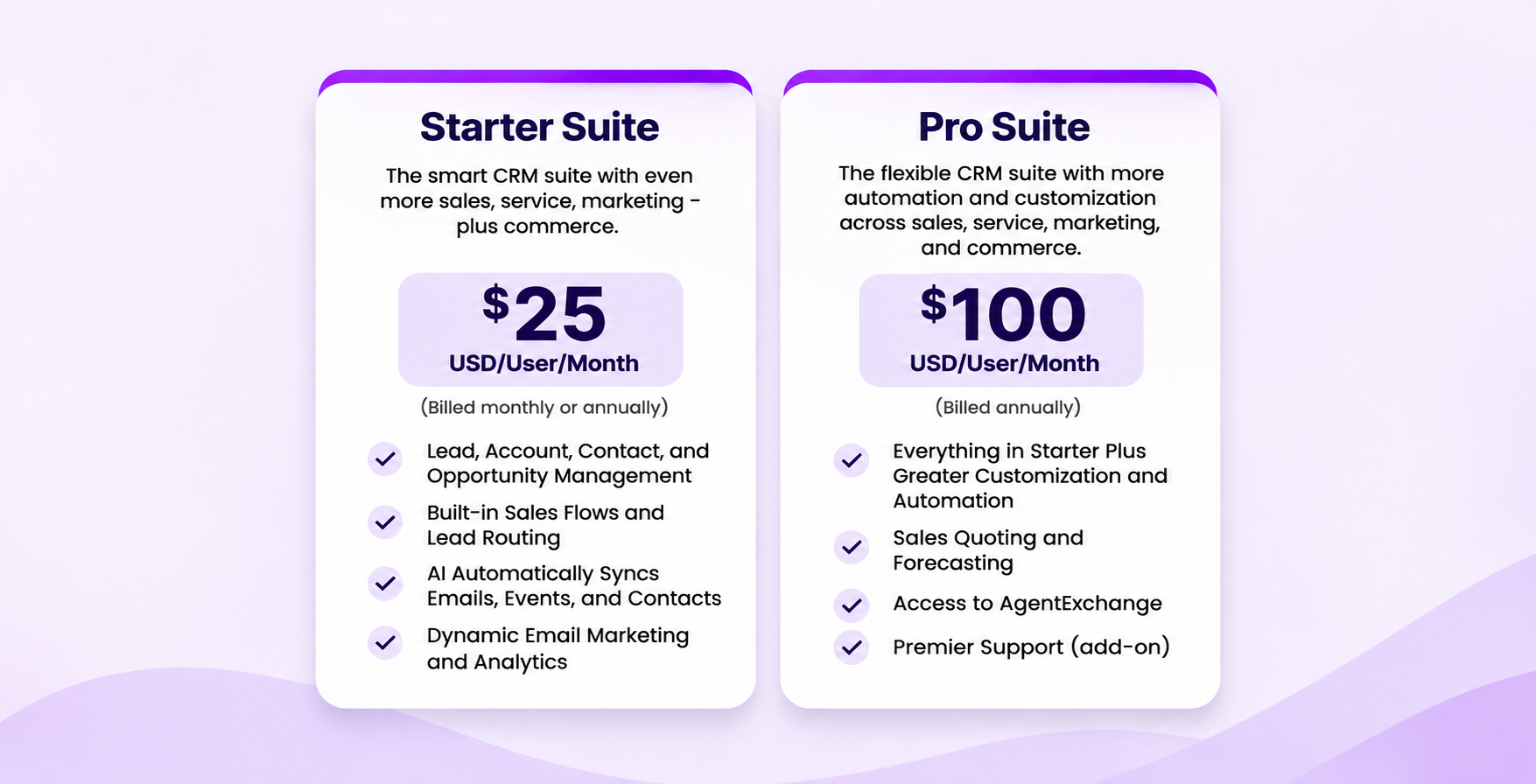
✓Salesforce's small business lineup is Free ($0, 2 users), Starter ($25) and Pro ($100) per user per month.
✓For 10 users, licences cost about $3,000 a year on Starter and $12,000 a year on Pro.
✓Independent estimates put small business implementation at roughly $5,000 to $25,000, depending on scope.
✓Salesforce is worth it when you plan to grow, have more than one team touching the customer, or need integrations. It's usually overkill for a 2 to 3 person business with a simple sales process.
!Most failed small business CRM projects fail on data and adoption, not features.
What does Salesforce for small business actually include?
Salesforce for small business is a set of ready-made CRM suites that put sales, customer service, email marketing, and simple commerce on one platform, so a small team can manage leads, deals, support cases, and campaigns from a single customer record.
Instead of a contact spreadsheet, a separate email tool, a shared support inbox, and a quoting template in Word, everything attaches to the same account and contact. Your sales rep can see the open support case before calling the customer. Your support person can see the deal that's about to close. You can see both on one dashboard.
Everything attaches to the same account and contact
It's also the same underlying platform large enterprises use. Salesforce was ranked the #1 CRM provider by IDC for the 13th year in a row, with a 20.0% share of the global CRM market in 2025 (Salesforce, citing IDC). For a small business, that matters less as a bragging right and more as insurance: you won't outgrow the platform, and you won't be forced to migrate in three years.
Salesforce small business editions compared: Free, Starter and Pro
Here is what each suite gives you, based on Salesforce's own pricing and product pages as of November 2026 (Salesforce small business pricing):
Sources: Salesforce small business pricing, Salesforce Free CRM, Salesforce Free Suite user limit. Salesforce updates plans often, so check the live pricing page before you buy.
Two things competitors often get wrong, and that are worth knowing:
!Salesforce Essentials is gone. If an article still recommends "Essentials" as the entry plan, it's out of date. Starter Suite replaced it.
!Starter Suite no longer has a 10-user cap. Salesforce's pricing FAQ states there is no user maximum on Starter (Salesforce). You move to Pro because you need its features, not because you hit a seat limit.
Every paid suite starts with a free 30-day trial, so you can test it with your own data before committing.
When should a small business look beyond Pro?
If you need advanced territory management, complex approval chains, heavy API use, or industry-specific data models, you'll be looking at Sales Cloud Enterprise or an industry cloud. That's normally a 50+ user conversation, and it's the point where a partner-led discovery workshop pays for itself.
Salesforce Starter Suite vs Pro Suite: which one should you choose?
Choose Starter Suite if you mainly need one place to track leads, deals, customer emails, and support cases. Choose Pro Suite if you need quotes, forecasts, custom objects, automated multi-step processes, or AppExchange integrations.
A simple way to decide:
You can upgrade from Starter to Pro at any time from your account, and your data comes with you (Salesforce). Our usual advice: start on Starter, run it properly for a quarter, then upgrade when a specific need appears. Don't pay for Pro features "just in case".
Codleo's usual advice on Starter vs Pro
How much does Salesforce cost for a small business?
The cost of Salesforce for a small business has two parts: licences, which run from $0 to $100 per user per month, and one-time and ongoing costs such as implementation, data migration, training and administration. For most small businesses, those second costs are larger than the licence in year one.
Licence cost examples
Calculated from list prices: Starter $25 x 12 months = $300 per user per year; Pro $100 x 12 = $1,200 per user per year. Taxes and promotions not included.
Selling in the UK or UAE? Pricing is localized in some markets. In the UK, for example, Sales Cloud Starter is listed at £20 per user per month (Salesforce UK). Always check the pricing page for your country.
The real costs that don't appear on the pricing page
This is where most budgets break. One analysis found that most SMBs underestimate Salesforce costs by 40 to 80 percent because they plan only for licences (LowCode Agency). Another estimates that SMBs typically spend 1.5 to 2 times their licence cost on implementation alone (LowCode Agency). Here's what to budget for:
Three realistic first-year scenarios
Implementation ranges are third-party market estimates cited above, not Codleo prices. Your quote depends on scope, data, and integrations.
Our advice on budgeting is simple. Ask every partner for a written, scope-based estimate that lists exactly what's included and what would trigger extra charges. If a quote lists no exclusions, ask why.
Is Salesforce worth it for small business?
Salesforce is worth it for a small business that plans to grow, has more than one team working with customers, or needs its CRM connected to other systems. It's usually not worth it for a 2 to 3 person business with a simple sales process and no plans to scale soon.
The research makes the case for having a proper CRM in the first place:
Tool sprawl is real. The average SMB uses seven business applications, and over half of SMB leaders say data is often inconsistent across their tools (Salesforce SMB Trends, 6th edition).
Better data means more revenue. 80% of SMB leaders say improving data quality would increase revenue, yet only 51% of SMBs use a CRM (Salesforce SMB Trends).
Sales teams are buried in admin. Reps spend 70% of their time on non-selling tasks (Salesforce State of Sales).
AI helps, but only with good systems behind it. Gartner found AI saves sellers nearly five hours a week, yet 72% of sales organisations fail to reinvest that time in high-value activities (Gartner).
Customers expect you to remember them. 71% of consumers expect personalised interactions and 76% get frustrated when they don't get them. Personalisation most often drives a 10 to 15% revenue lift (McKinsey).
Buyers research before they talk to you. 61% of B2B buyers prefer a rep-free buying experience (Gartner), so the follow-up you send has to be timely and relevant.
Growing SMBs also lean into this harder. Salesforce's research found growing SMBs are 1.8 times more likely to invest in AI than declining ones, and 90% of SMBs using AI report more efficient operations (Salesforce SMB Trends). Starter and Pro both include built-in AI, so you don't need a separate tool to start.
Here's the honest checklist we use with clients:
If you're in the right-hand column today, Salesforce's Free Suite is still a sensible place to start. You can move up later without migrating.
Salesforce benefits by industry
Salesforce works across industries, but the payoff looks different in each. These are the patterns we see most often with small and mid-sized clients:
Real estate
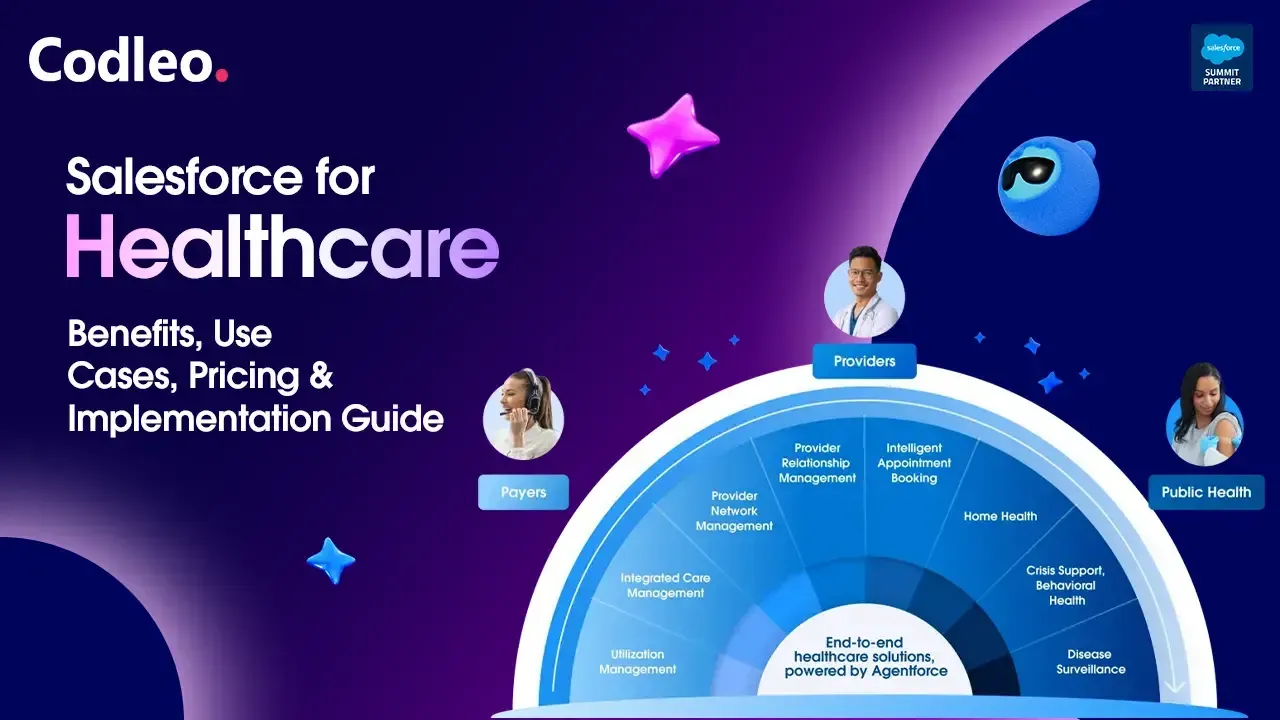
Healthcare
Fintech (Razorpay)
Manufacturing (JK Lakshmi)
Nonprofit (Magic Bus)
What small and mid-sized clients achieved with Salesforce
Professional services (consulting, agencies, IT services)
Track every lead from inquiry to signed proposal, see which services and channels bring the most profitable clients, and stop losing referrals in inboxes. Starter covers most firms; Pro helps once you quote from the CRM.
Real estate
Route enquiries to the right agent in minutes, keep a full history of every buyer, tenant and property, and automate viewing reminders and follow-ups. One of our real estate clients doubled its feedback response rate after automating follow-ups in Salesforce.
Healthcare and therapy providers
Bring patient, family, and referral data into one record, coordinate care teams, and automate intake follow-ups. If you handle protected health information in the USA, review HIPAA requirements and which Salesforce services are covered before going live. For an autism therapy and family support provider, Codleo's Salesforce rollout improved patient satisfaction by 20% (case study).
Financial services and fintech
Manage applications, onboarding, and approvals in one workflow, with a clear audit trail. For Razorpay, Codleo automated onboarding workflows and built a SAP-Salesforce integration, increasing team productivity by 30%.
Manufacturing and distribution
Give dealers and field reps one view of orders, visits, and accounts, and sync with your ERP so sales stops calling the office for stock and pricing. For JK Lakshmi Cement, a dealer management system on Salesforce lifted sales productivity by 20% (case study).
Nonprofits and education
Track donors, volunteers, students and programs in one place. Eligible nonprofits get 10 free Salesforce licences through the Power of Us programme (Salesforce). For Magic Bus, a unified Salesforce platform reached 95% user adoption.
Retail and e-commerce
Starter Suite includes secure payment links and a simple e-commerce storefront, so very small retailers can take payments and track customers in the same system (Salesforce).
What we see small businesses get wrong with Salesforce
We asked our Salesforce architect, Anand Sharma, the questions small business owners ask us most often. Here are his answers.
QWhat's the biggest mistake small businesses make when they buy Salesforce?
"Trying to build everything on day one. Owners come in with a list of 40 requirements and want them all live at launch. Pick the three things that cost you money today, like slow lead response or lost follow-ups, fix those first, and add the rest once the team is actually using the system. The other big one is skipping goals. If you can't say what success looks like in 90 days, you can't tell whether the project worked."
QWhen should a business move from Starter to Pro?
"When a real process needs it, not before. The usual triggers are quoting from the CRM, a forecast leadership asks for every month, data that doesn't fit standard objects, or automation that needs several steps and approvals. If none of those apply, Starter is doing its job."
QWho is Salesforce not right for?
"A two or three person business with one simple sales process and no plans to grow soon. They'll be fine on a spreadsheet, the Free Suite or a lighter CRM. Salesforce shines when there's complexity coming: more people, more teams, more systems to connect."
QWhich hidden cost surprises people most?
"The time it takes to look after the system. Licences are predictable. What catches people out is that someone has to clean data, add users, change reports, and keep up with three Salesforce releases a year. Decide who owns that before you sign, whether it's someone in-house or a partner."
Salesforce vs HubSpot, Zoho and Pipedrive for small business
Salesforce costs more to start than most alternatives, but offers more room to customise and scale. HubSpot, Zoho and Pipedrive are often simpler or cheaper on day one. The right choice depends on where your business will be in three years, not on the cheapest entry price.
Competitor prices change often and vary by billing term and region. Confirm on each vendor's site.
Watch the total cost of ownership, not just the price per seat. A cheaper CRM that you outgrow in two years can end up costing more once you add a migration. Run a short trial of your top two options using your real sales process before you decide.
How to get started with Salesforce as a small business
A typical small business Salesforce rollout takes a few weeks on Starter and around 6 to 14 weeks for a standard partner-led implementation, depending on complexity and how much data you migrate (Dotsquares).
Typical small business rollout timelines
Set two or three measurable goals. For example, respond to every lead within one hour, or cut quote turnaround from three days to one.
Map how you sell and serve today. Write down your stages, who does what and where data lives now.
Pick the suite. Start with the cheapest suite that covers your goals. Use the free trial to test it.
Clean your data before you move it. Remove duplicates and dead contacts. Importing a messy spreadsheet just gives you a messy CRM.
Configure, then connect. Set up stages, fields, permissions and dashboards first. Add integrations once the core works.
Train your team on their own day-to-day tasks, not on every feature.
Review after 30 and 90 days. Check the goals you set, fix what people aren't using, then decide whether you need Pro.
For a deeper walkthrough, see our Salesforce implementation guide.
Why small businesses work with Codleo
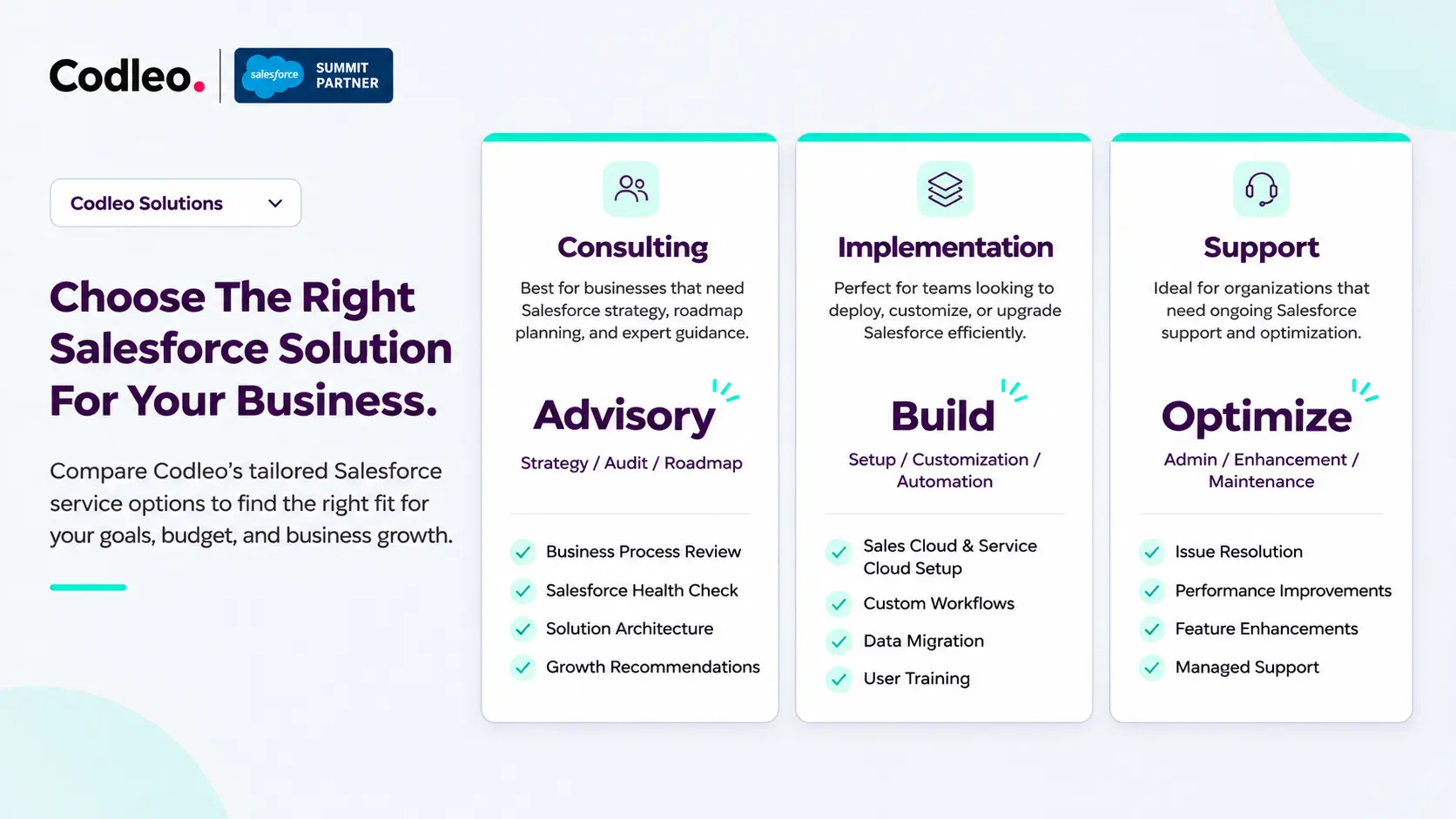
Codleo is a Salesforce Summit Partner, the highest tier in Salesforce's partner programme. We work with small and growing businesses across the USA, UK and UAE on Salesforce consulting services, implementation and ongoing support.
✓291+ Salesforce projects delivered.
✓4.88/5 rating from 125 verified reviews on Salesforce AppExchange.
✓CMMI Level 3 appraised, and ISO 9001 and ISO 27001 certified.
✓On-time delivery we take seriously. We recently delivered an Education Cloud implementation a full month ahead of schedule.
✓Flexible support after go-live, from a few hours a month to full managed services. Ask us for a quote that fits your team.
We start with your business problem, recommend the smallest edition that solves it and give you a written scope before any work begins. When you're ready, our team can handle the full Salesforce implementation or simply help you get Starter working properly.
Sources
1Salesforce, Small Business Pricing
2Salesforce, Free CRM (Free Suite)
3Salesforce, Free Suite user limit
4Salesforce UK, Sales Cloud small business pricing
5Salesforce, Starter Suite vs Pro Suite
6Salesforce, IDC CRM Market Share Ranking 2026
7Salesforce, Small & Medium Business Trends Report, 6th edition (2024)
8Salesforce, State of Sales (2024)
9Gartner, AI saves sellers nearly five hours per week (May 2026)
10Gartner, 61% of B2B buyers prefer a rep-free buying experience (June 2025)
11McKinsey, The value of getting personalization right or wrong is multiplying
12Salesforce, Success Plans pricing
13Indeed, Salesforce administrator salary in the United States (July 2026)
14StartupOwl, Salesforce Review 2026
15Folio3, Salesforce Implementation Cost Breakdown 2026
16LowCode Agency, Salesforce total cost for SMBs
17LowCode Agency, CRM hidden pricing and total cost of ownership
18Dotsquares, Common Salesforce implementation mistakes
19Salesforce UK, Nonprofit (Power of Us)
Frequently asked questions
Tap a question to see the answer.
How much does Salesforce cost for a small business?+
Salesforce licences for small businesses cost $0 for the Free Suite (up to 2 users), $25 per user per month for Starter Suite and $100 per user per month for Pro Suite, billed annually. For 10 users that's about $3,000 a year on Starter or $12,000 on Pro. Add implementation, data migration, training and admin to get your real first-year cost.
Is there a free version of Salesforce for small business?+
Yes. Salesforce Free Suite costs nothing for up to two users and doesn't expire as long as you log in regularly. It covers leads, accounts, contacts, opportunities, simple case management and basic email marketing.
What is the difference between Salesforce Starter Suite and Pro Suite?+
Starter Suite ($25 per user per month) covers core sales, service and email marketing with built-in flows and dashboards. Pro Suite ($100 per user per month, annual contract) adds quoting, forecasting, custom objects and apps, automation with Flows, a sandbox and AppExchange access.
Is Salesforce good for small business?+
Yes, for small businesses that plan to grow, have several teams working with customers or need integrations. For a 2 to 3 person business with a simple process, the Free Suite or a lighter CRM is often enough.
How long does it take to implement Salesforce for a small business?+
A basic Starter setup can be live in days to a few weeks using Salesforce's guided onboarding. A standard partner-led implementation usually takes about 6 to 14 weeks, depending on complexity and data migration.
Do I need a Salesforce admin for a small business?+
Not full-time, in most cases. Someone still has to own users, data and changes. Most small businesses give this to a trained team member or use part-time partner support instead of hiring a full-time admin.
What are the hidden costs of Salesforce?+
The main costs beyond licences are implementation, data migration, integrations, training, ongoing administration, optional Premier support (listed at 30% of net licence fees) and any AppExchange apps or add-ons you buy.
Is Salesforce better than HubSpot for small business?+
Salesforce is usually the better fit when you need deep customisation, complex processes or integrations and expect to scale. HubSpot is often easier for marketing-led teams that want simple inbound tools. Compare total cost of ownership over three years, not just the entry price.
Do I need a Salesforce consultant for a small business?+
Not always. Starter Suite is designed for self-guided setup. A Salesforce consultant for small business is worth it when you're migrating messy data, connecting other systems, moving to Pro or want the system built around your process from the start.

About the Author

RS Maan
Maan joined Salesforce Ecosystem in 2008 with entry of Salesforce in APAC region. He worked on many of the underlying Salesforce Products & it’s functionality, including Heroku, Chatbots, and Einstein before leading Codleo Consulting - Leading Partner of Salesforce.com & Salesforce.org. In his spare time, he immerses himself in travel, books and spirituality.

 16192 Coastal Highway Lewes, Delaware 19958 USA


