


Publish Date
Why Partner Selection Matters More Than Ever
You've decided to implement Salesforce. Your leadership team is excited. Your team is ready to migrate off spreadsheets. And then reality hits: you're staring at 10,000 settings, integration points, and configuration options, and you realize you have no idea what you're doing.
This is where most companies make their biggest mistake—they either try to DIY it or pick the first "certified Salesforce partner" that promises a fast implementation. And then the implementation drags on. Your team doesn't adopt it. The system sits half-configured. And six months later, you're wondering why you spent $100,000+ on a tool that's not solving anything.
Here's the uncomfortable truth: 55% of CRM implementations fail without expert guidance. Not because Salesforce is broken. But because the partner you choose determines whether your Salesforce becomes a competitive advantage or an expensive experiment gathering dust.
By 2026, over 60% of US enterprises will use Salesforce, but most are working with implementation partners who don't understand their specific business challenges. Your job right now is simple: find the partner who gets your business, not the biggest brand name.
This guide cuts through the noise. We're walking you through exactly how to evaluate partners, what to look for (and what red flags to avoid), and real examples of how mid-market and enterprise businesses in the US have gotten it right—and wrong.
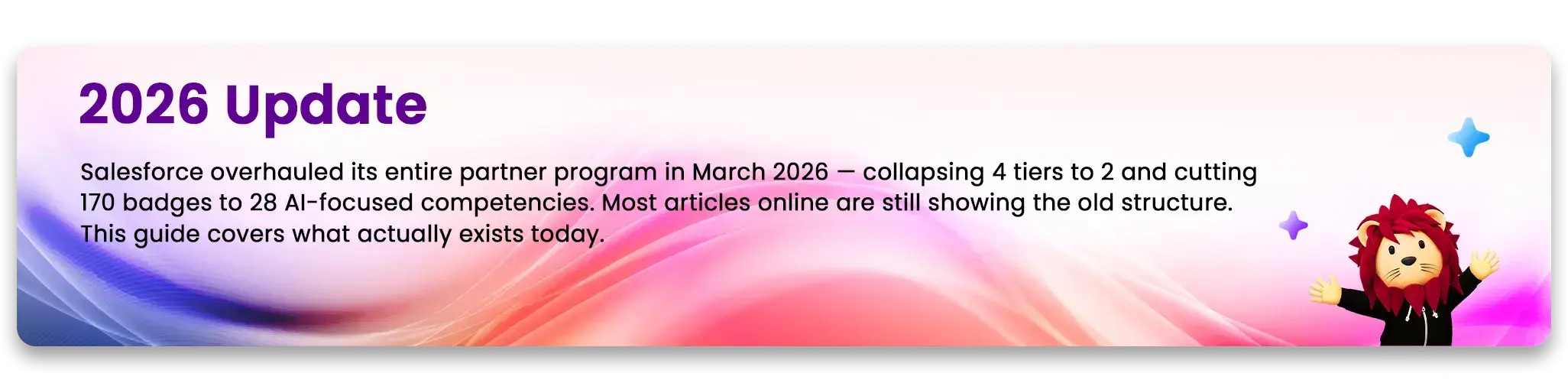
Table of Contents
-
What's Actually Changed in 2026
-
Best Ways to Identify a Reputable Salesforce Certified Partner
-
Understanding Partner Tiers & Certifications
-
The 7-Step Partner Decision Framework
-
Top Services Offered by Salesforce Certified Partners
-
Pricing Models of Salesforce Certified Partners
-
Small Business vs. Enterprise: Picking Your Partner Type
-
Best Salesforce Partners for Small Business Solutions
-
How the Right Partner Saved $300K+ in Rework
-
Red Flags: Warning Signs You're About to Pick Wrong
-
FAQ: Questions Every US Business Leader Asks
Section 1: What's Actually Changed in 2026
If you read articles from 2024 about Salesforce partners, you're working with outdated information. In March 2026, Salesforce completely overhauled its partner program. This matters because it tells you which partners are actually current and which are still using playbooks from five years ago.
The old system had Gold Partner, Platinum Partner, Ridge Partner, and Crest Partner. Those are gone. Today, there are only two tiers: Summit Partner (highest tier with proven outcomes, large teams, and multiple competencies) and Select Partner (emerging and specialized partners that are often faster to execute and more affordable).
More importantly, Salesforce consolidated 170 partner badges down to 28 focused competencies. This means partners can no longer claim expertise in "everything." They have to prove it in specific areas: Sales Cloud, Service Cloud, Marketing Cloud, Data Cloud, Agentforce (the big new one), industry-specific solutions, and more.
Why this matters for you: If a partner tells you they're "Platinum" or "Ridge," they're either out of touch with the current Salesforce ecosystem or using outdated marketing materials. This is a subtle red flag.
The real question isn't the tier—it's the Trailblazer Score. Salesforce now ranks partners quarterly based on customer satisfaction, innovation, and revenue growth. A Select partner with a high Trailblazer Score often delivers better results than a Summit partner coasting on reputation.
Section 2: Best Ways to Identify a Reputable Salesforce Certified Partner
Finding a reputable partner is half the battle. Too many companies pick partners based on Google search results or a slick sales pitch. Here's how to actually identify someone trustworthy.
Step 1: Check AppExchange Directly (Not Their Website)
Go to appexchange.salesforce.com and search for the partner by name. This is the source of truth. Don't rely on what they tell you on their website.
When you find them, verify:
-
Tier Status: Is their tier Summit or Select? If they claim anything else, they're outdated.
-
Trailblazer Score: This is updated quarterly by Salesforce and measures customer satisfaction, innovation, and revenue growth. A high Trailblazer Score (70+) matters more than tier. A Select partner with a score of 75 is more valuable than a Summit partner with a score of 55.
-
AppExchange Rating: Look for 4.5+ stars. If they're under 4.5, ask why. Read recent reviews—not the 5-star ones from their friends, but the honest 3-4 star reviews that give details.
-
Specializations Listed: Do they specialize in your industry? Do they have Data Cloud expertise? Agentforce certifications? This tells you where they've invested in knowledge.
-
Project Counts: How many projects have they completed? A partner with 100+ projects has seen more edge cases than one with 15.
Step 2: Verify Actual Certifications
AppExchange lists which certifications each partner's team holds. This matters because:
A partner might claim they have 100 certifications, but if they're all Administrator certifications from 2021, they lack depth. You want a mix: Architects (rare and valuable), Developers (for custom work), Consultants (for strategy), and Administrators (for daily ops).
When you talk to the partner, ask them directly: "What's your team's certification breakdown? How many Architects do you have on staff? Do you have anyone certified in Data Cloud or Agentforce?" A good partner will answer specifically. Vague answers are red flags.
Step 3: Request and Check References
Ask for at least 3 references from companies similar to yours (similar size, similar industry, similar project scope). Call all three.
When you call, ask:
Did they deliver on time and on budget? Did they stay in scope or did costs balloon? Is the system stable post-go-live or does it require constant firefighting? Would you hire them again? What would you do differently if you could go back?
The most important question: Would you hire them again? If even one reference hesitates, that's significant.
Also pay attention to whether the reference is speaking fondly about the partner or just defending them. Enthusiasm vs. obligation tells you everything.
Step 4: Look for Published Content
A reputable partner publishes blogs, case studies, and whitepapers that show real knowledge, not just marketing fluff.
Read their blog. Do they understand your industry? Do they write about the challenges you're facing? Or do they publish generic Salesforce content copied from Salesforce's own materials?
If they publish detailed case studies (not just glowing testimonials), that's a green flag. If their case studies include specific numbers and actual challenges faced, even better.
Step 5: Industry Certifications Matter
Some partners specialize in specific industries and earn certifications to prove it. For example:
If you're a healthcare company, look for partners with Healthcare Cloud certifications. If you're a financial services firm, look for partners with Financial Services Cloud expertise. If you're a nonprofit, look for Salesforce.org certification.
A partner with industry certification has invested in learning your specific compliance requirements, workflows, and best practices. That investment is worth it.
Step 6: Check Recent Trailblazer Awards
Salesforce announces Trailblazer Awards quarterly. If a partner has won in the last 12 months, that's a recent validation of their quality. These awards are based on actual customer outcomes, not just self-reported metrics.

Section 2B: Understanding Salesforce Partner Tiers & Certifications
Now that you know how to identify who's reputable, let's understand what tier means and why certifications matter.
Summit Partners: What They Bring
A Summit partner has at least 50 Salesforce certifications across their team. They've proven success on 50+ customer projects. They maintain a strong Trailblazer Score. They have capacity for enterprise-scale, multi-cloud programs. Most importantly, they have Agentforce competency because that's become table-stakes in 2026.
Summit partners are best for large enterprises, complex multi-cloud deployments, organizations rolling out Sales Cloud plus Service Cloud plus Marketing Cloud plus Data Cloud simultaneously, financial services firms, healthcare systems, and manufacturing companies with complicated supply chain integration needs.
Here's the reality check though: Summit doesn't mean "best for you." It means "has the capacity to handle massive programs." If you're a mid-market company with a $50-150K budget, a Summit partner might assign junior staff to your project because their senior people are booked on Fortune 500 accounts. They might price you 20-30% higher than a specialized Select partner. They might move slower because of internal bureaucracy.

Select Partners: The Emerging Leaders
A Select partner has between 10-30+ certifications. They've proven success on 15+ customer projects. Their Trailblazer Score is growing. They often specialize in specific industries or specific products (like Commerce Cloud or Data Cloud). They're more agile and faster at decision-making.
Select partners are best for mid-market businesses with 50-500 employees, first-time Salesforce implementations, organizations with 1-2 cloud rollouts, nonprofits with Salesforce.org certification, and specialized use cases.
The reality check here is different: Select partners are often hungrier and more responsive. They move fast and prioritize you because you matter to them. The trade-off is they have less capacity if you need to scale to 20+ team members. But most mid-market implementations don't need that.
What Certifications Actually Mean
This is where certification noise gets confusing. Here's what actually matters:
-
A Salesforce Administrator certification proves basic platform knowledge, user management, and data fundamentals. It's necessary but not sufficient by itself.
-
A Salesforce Developer certification means they can write Apex code, build Lightning Web Components, and create custom objects. This is essential if your project requires custom development.
-
A Salesforce Architect certification is rare and valuable. This person can design enterprise-scale solutions, handle integrations, and implement governance. If a partner has an Architect on staff, that's your technical leader.
-
A Salesforce Consultant certification means they do business analysis, requirements gathering, and system design. This is your project strategist.
-
A Data Cloud Specialist certification is new and increasingly valuable. This person can unify customer data and activate it for AI-powered insights. In 2026, this is becoming a must-have for larger implementations.
-
An Agentforce Specialist certification is brand new (2025-2026) and represents cutting-edge knowledge. If a partner has this, they're current and forward-thinking.
The trick is that a partner might have 40 certifications, but if they're all Administrator certs from 3 years ago, they lack depth in areas you need. When evaluating partners, ask specifically about their certification mix. A partner with 5 Architects and 10 Developers is more valuable than one with 40 Administrator certs.
Section 3: The 7-Step Partner Decision Framework
Step 1: Define What You Actually Need (Before Talking to Anyone)
Too many organizations call partners before they know what they're building. This is a mistake.
Before you reach out, write down your business problem. Not "we want Salesforce"—that's too vague. Say "we need to reduce sales cycle time from 45 days to 25 days" or "we need to see customer health scores in real-time" or "we need to automate our nonprofit's donor management."
Write down which Salesforce clouds you need. Do you need Sales Cloud only? Sales Cloud plus Service Cloud? Do you need Marketing Cloud for email campaigns? Do you need Commerce Cloud for an online store? Do you need Data Cloud for AI-driven decisions?
Be honest about your budget. Don't waste time on partners if you have $30K and they require $150K minimums. It's a mismatch that will waste everyone's time.
Write down your timeline. Can you implement in 8 weeks? Do you need 6 months? This affects which partners are available and what approach they'll recommend.
Know your team size. Will this be implemented by 2 people or 20? Will your internal team do the work alongside the partner, or will the partner handle everything?
Understand integration complexity. Do you need to connect Salesforce to an ERP? An accounting system? Marketing automation? Legacy CRM? The more integrations, the more complex and expensive.
A partner who dives into solutions before understanding these is more interested in selling than solving.
Step 2: Verify Tier Status and Trailblazer Score
Go directly to appexchange.salesforce.com and search the partner by name. Check their tier (Summit or Select), their Trailblazer Score (quarterly update), their AppExchange rating (aim for 4.5+), and their specializations.
Don't rely on their website. AppExchange is the source of truth.
Step 3: Assess Industry Experience
This separates experienced partners from generalists. Ask directly: "Show me 3 case studies from companies in my industry."
If they can't produce them, that's a problem. They might eventually figure out your business, but you'll be paying for their learning curve.
Better: A partner with 5+ financial services clients understands compliance and data governance that a healthcare specialist might miss. A nonprofit specialist knows donor lifecycle management that a for-profit partner might not prioritize.
Ask them to walk you through one case study in detail. How did they approach the requirements? What challenges did they face? How did they solve them? A partner who can articulate this clearly has been through it before.
Step 4: Evaluate the Team You'll Actually Work With
Here's what most companies miss: the people who pitch the deal are not the people who execute the project.
-
Red flags: The sales pitch is delivered by a Partner VP, but your day-to-day lead is a junior consultant with 1 year of experience. You don't meet the team before signing. They won't commit to who will be on your project.
-
Green flags: You meet your actual project lead before the deal closes. They assign a senior architect to your engagement. They have a documented bench of certified professionals. When you ask questions, the same person answers them consistently.
Ask directly: "Who will be my primary point of contact? What's their experience level? Can I meet them before we sign?" Then have a real conversation with that person. Do they ask good questions? Do they understand your business? Do you want to work with them for the next 6-12 months?
Step 5: Review Data Migration & Integration Approach
This is where most implementations get derailed. Ask specifically:
"Walk me through your data migration process. How do you handle dirty data?" A good partner will explain data validation, cleansing, testing, and rollback procedures.
"What tools do you use for integrations? Salesforce APIs, MuleSoft, Boomi, Workato, custom development?" Listen for flexibility. A partner who says "we always use MuleSoft" is limiting. A partner who says "we evaluate each integration and recommend the right approach" is thinking.
"What happens when an integration breaks in production? How do you handle it?" This reveals their operational maturity. Do they have a runbook? Do they monitor integrations? Or do you call them when something's broken?
"How many data migrations have you done? What's your success rate?" A partner who's done 50+ migrations has seen edge cases. A partner who's done 5 is learning.
Real risk: Bad data migration can waste 30-40% of your Salesforce budget on cleanup and rework.
Step 6: Understand Post-Go-Live Support
The implementation is not the end. It's the beginning.
Ask: "What's included in your managed services?" You want ongoing support, bug fixes, enhancements, and admin work. Ask about response time for production issues. Ask how they handle new Salesforce releases (Salesforce releases updates 3x per year). Ask if they provide ongoing training and adoption support.
A partner that hands off after go-live is not a partner—they're a contractor. A real partner thinks about Year 1, Year 2, and Year 3 of your Salesforce journey.
Step 7: Compare Pricing Transparently
Ask for a formal proposal with fixed scope and timeline, breakdown of costs (not one lump sum), clarity on what's included and what costs extra, and managed services pricing.
-
Red flag: If a partner quotes a fixed price during your initial discovery call, they're guessing. A real partner needs 2-4 weeks to understand your requirements before quoting.
Section 4: Top Services Offered by Salesforce Certified Partners in the US
Not every partner offers all of these services. But understanding what you need is the first step to evaluating what they provide.
Discovery & Requirements Analysis
Your partner should spend 2-4 weeks asking hard questions before any design begins. They should understand who your users are, what the current pain points are, what success looks like, and what your timeline allows.
This is not a checkbox exercise. A good discovery involves workshops with your sales team, support team, management, and IT. The partner asks questions like: "Why do you manually enter data instead of using Salesforce?" or "What reports do you run every week?" or "What keeps your CEO up at night?"
A partner who skips this and jumps to "let's configure Salesforce" is cutting corners. This is where foundation mistakes happen.
System Design & Architecture
Based on what you told them in discovery, they design a solution that balances native Salesforce features, custom development where necessary, integration points, and user adoption.
A good design session results in a clear diagram showing what talks to what. It includes a data model (how your customer, account, and opportunity records connect). It includes security and access control design (who sees what). It includes integration architecture (how Salesforce connects to your other systems).
Data Migration
You probably have 10 years of customer data in spreadsheets or a legacy system. Moving that to Salesforce is harder than it sounds.
A quality partner audits your source data first. They understand how messy it is. They build data transformation logic to clean it during migration. They test migrations multiple times before the final cut-over. They have a rollback plan if something goes wrong.
They also handle data reconciliation post-launch. They verify that the data that landed in Salesforce matches what was in your source system. They flag discrepancies. They fix them before users notice.
Data migration that goes wrong can cost 30-40% more in rework. This service is worth investing in.
Configuration & Customization
This is what most people think "Salesforce implementation" means.
Configuration uses built-in Salesforce features (no code). For example, creating custom fields, building validation rules, designing page layouts, creating reports and dashboards.
Customization requires custom code (Apex, Lightning, etc.). For example, building a custom app that doesn't exist in Salesforce, automating a complex business process, or integrating with a system Salesforce doesn't have pre-built connectors for.
A smart partner configures first, codes only when necessary. Too many partners over-customize because custom work is more billable. But custom code creates technical debt, makes the system harder to maintain, and increases costs.
Ask your partner: "Why can't we use native Salesforce features for this?" A good answer is "because native features don't support this workflow" or "because it would require 20+ configuration steps that would be fragile." A bad answer is "because custom code is faster" or "because that's our standard approach."
Integration with Your Other Systems
Your Salesforce won't exist in isolation. It needs to talk to your accounting system, your ERP, your marketing automation platform, your HR system, whatever else you use.
A quality partner maps out data flows first. They understand what data needs to move where and how often. They choose the right integration tools (native Salesforce APIs for simple integrations, MuleSoft or middleware for complex ones).
They build error handling because integrations fail. They monitor integrations to catch failures early. They document everything so when something breaks at 2 am, your team (or another partner) knows how to fix it.
User Training & Adoption
You can build the perfect system, but if your team doesn't know how to use it, it fails.
A partner should train your power users first. These are the people who will become internal experts. Then train the broader team. Provide role-based training so sales reps learn how to log activities and track opportunities, managers learn how to run forecasts and see team metrics, and admins learn how to maintain the system.
Build training materials specific to your business process, not generic Salesforce documentation. After go-live, provide coaching. The first 30 days after launch are critical. Users need to call someone when they're confused. That should be your partner or an internal champion.
Adoption is the #1 predictor of Salesforce success. If a partner doesn't prioritize it, they're leaving money on the table.
Post-Go-Live Support & Managed Services
After go-live, you need ongoing support. Daily admin work (user access, permission management), bug fixes and optimization, feature adoption from new Salesforce releases (3x per year), quarterly business reviews to check if you're achieving your goals, and ongoing training.
This is called managed services, and it's usually a monthly retainer ($3-15K/month depending on scope).
A partner who doesn't offer this isn't thinking about your long-term success. They're thinking about the project end date.
Section 5: Pricing Models of Salesforce Certified Partners for CRM Implementation
Everyone asks "how much does Salesforce implementation cost?" and gets wildly different answers. Here's why: it depends on your complexity, not some magic formula.
Budget Ranges (USA, 2026)
For a small business with 1-50 employees, Salesforce licenses cost $2,000-5,000 per year. Implementation runs $5,000-25,000. Managed services run $1,000-3,000 per month. Your total Year 1 cost is $15,000-40,000.
For a mid-market company with 50-500 employees, Salesforce licenses cost $10,000-50,000 per year. Implementation runs $25,000-150,000. Managed services run $3,000-10,000 per month. Your total Year 1 cost is $60,000-250,000.
For an enterprise with 500+ employees, Salesforce licenses cost $100,000+ per year. Implementation runs $150,000-500,000+. Managed services run $10,000-50,000+ per month. Your total Year 1 cost is $300,000-1,000,000+.
Here's the rule of thumb: Implementation typically costs 1.5-3x your annual license cost.

Why Implementation Costs Vary So Much
A simple Sales Cloud implementation for a small team that doesn't need integrations might be $15K. A complex multi-cloud implementation for an enterprise with heavy customization and integrations might be $500K+. The difference isn't just partner pricing—it's project scope.
What drives costs up? Multi-cloud deployments add complexity. Adding Marketing Cloud, Commerce Cloud, Service Cloud to Sales Cloud means more configuration, more integrations, more training. Custom development is expensive. Every line of Apex code costs money. A simple automation might be $1K. Complex customization might be $20-50K+.
Integrations are costly too. A simple API integration might be $2-5K. A complex ERP integration might be $30-100K+. Data volume affects cost. Migrating 100K records is simpler than migrating 10M records with complex transformation.
Team size matters. Training 5 people is $5K. Training 500 people is $50K+.
Engagement Models
-
Fixed Price: The partner quotes you a specific price for a specific scope. You know exactly what you're paying. Pro: Predictable cost, clear deliverables. Con: If scope expands, costs escalate. Best for first-time implementations with well-defined requirements.
-
Time & Materials (T&M): The partner bills hourly ($100-300/hour depending on tier and seniority). Flexible, works when requirements aren't fully clear. Con: Costs can balloon if not managed carefully. Best for complex projects where you're still learning what you need.
-
Hybrid (Fixed + T&M): The partner quotes a fixed price for core implementation, hourly rates for enhancements. Balances predictability and flexibility. Most common for mid-market projects.
Watch Out For Hidden Costs
Change order fees appear when scope expands beyond the original agreement. Training costs aren't always included in implementation. Data cleanup is expensive if your source data is messy. Third-party integrations require licenses plus implementation. Sandbox environments are sometimes charged separately. Post-go-live optimization discovers configuration issues after launch.
Pro tip: Ask partners upfront: "What's NOT included in your quote?" Their answer matters more than the quote itself.
What's Usually Included vs. What Costs Extra
Most partners include basic training in their implementation cost. But ongoing training, advanced training for power users, and train-the-trainer programs cost extra. Budget 10-15% of your implementation cost for training across Year 1.
Managed services are almost always separate from implementation. Budget for this from day 1 because your system needs ongoing support. A realistic managed services cost is $3-10K per month for mid-market companies.
Section 6: Small Business vs. Enterprise: Picking Your Partner Type
Your company size should dramatically influence which partner you pick.
If You're a Small Business (1-50 people)
You probably need Sales Cloud only, maybe Service Cloud. Simple integrations, no complex ERP stuff. 2-3 people doing the work on your side. You need a nimble partner who understands startups and small teams.
The best partner type is a Select partner or specialized boutique firm. Why not Summit? They have minimum engagement sizes ($50-100K+). They'll assign junior staff to you because their seniors work on Enterprise clients. Their processes are built for 100-person teams, not 5-person teams.
-
What to look for: Has experience with small business implementations. Offers monthly managed services (not annual contracts). Is responsive and communicative (not bureaucratic). Is willing to do training and handholding.
-
Example: A local CPA firm implementing Sales Cloud doesn't need Accenture. They need a boutique Salesforce partner with 10-15 people who can move fast, understand the CPA business, and stay available for questions.
If You're Mid-Market (50-500 people)
You probably need multiple clouds (Sales + Service, or Sales + Marketing). Custom development (workflow automation, custom objects)—integration with ERP or accounting systems. You're big enough to justify a dedicated team.
The best partner type is a Select partner with strong expertise in your industry, or a lower-tier Summit partner. Why this range? You're large enough to justify a dedicated team. Still not big enough to need Accenture. Your budget is typically $50-150K. You need someone who understands your industry, not a generalist.
-
What to look for: Industry-specific experience (not generic). Proven track record with companies your size. Clear communication from day 1. Structured methodology (not ad-hoc).
-
Example: A mid-market healthcare provider rolling out Sales Cloud + Service Cloud should look for a Select partner with 5+ healthcare implementations, not a generic Summit firm.
If You're Enterprise (500+ people)
You probably need multi-cloud programs. Complex governance and compliance. Large-scale change management. 24/7 support. You need a partner with global capacity.
The best partner type is a Summit partner with global capacity. Why Summit? They have the bench (50+ certified professionals). They understand enterprise processes. They can handle scale. They have global delivery if you have international offices. They understand enterprise governance.
-
What to look for: Global service delivery. Executive sponsorship (a C-level owns your relationship). Post-go-live managed services included—industry-specific practice (they have a Healthcare vertical, Financial Services vertical, etc.).
-
Example: A Fortune 1000 manufacturing company rolling out Salesforce plus integrating with SAP ERP needs a Summit partner with proven enterprise ERP integration experience.
Section 6B: Best Salesforce Partners for Small Business Solutions
If you're a small business trying to choose between partners, here's who's actually delivering good results for companies like yours in 2026.
Worxwide: AI Sales Consulting & Transformation Partner
Worxwide is a Salesforce Partner specializing in sales transformation, customer experience design, and AI-led automation for mid-market and enterprise businesses. Based in Gurugram with offices in New York and London, they focus on helping organizations move beyond standard CRM implementation to strategic sales transformation.
Key Strengths:
-
Sales Transformation Focus: Full funnel sales automation, ABM strategy, and bid/proposal management
-
AI-Native Approach: Agentforce integration, predictive analytics, conversational AI, and sales intelligence platforms
-
Industry Expertise: Deep verticals in Manufacturing, Financial Services, Tech & Telecom, and Healthcare
-
Proprietary Tools: Sales Worx (AI sales intelligence), Bid Worx (proposal automation), Worx Squad (digital workplace)
-
Outcome-Driven Model: Milestone-based, success-driven engagement rather than hourly billing
Best For:
-
Mid-market to enterprise companies (50+ employees)
-
Multi-cloud Salesforce implementations (Sales + Service + Marketing + Data)
-
Organizations prioritizing sales transformation over basic CRM setup
-
Companies needing complex integrations (ERP, accounting systems, data platforms)
-
Businesses in manufacturing, finance, tech, or healthcare sectors
Typical Investment:
-
Implementation: $75K - $200K
-
Managed Services: $5K - $12K/month
-
Timeline: 14-20 weeks
Contact:
-
Email: consult@worxwide.com
-
Phone: +1-571-365-0400 (US) | +91 96678 11005 (India)
-
Website: worxwide.com
-
AppExchange: Salesforce Summit Partner with strong Trailblazer Score
When to Consider Worxwide: If you're looking for a Salesforce partner who thinks beyond configuration and focuses on transforming your sales process with AI and automation, Worxwide brings strategic depth and industry expertise. Best suited for organizations with $100K+ budgets and ambitious transformation goals.
Coastal Cloud: The Small Business Specialist
Coastal Cloud focuses specifically on mid-market and small business clients. They're a Salesforce Select partner with a team of about 40 people, which means you're not just a number to them. They specialize in Sales Cloud and Service Cloud implementations for companies that don't need enterprise-scale complexity.
What makes them good for small businesses: They offer flexible engagement models. They're transparent about pricing. They don't over-engineer solutions. They focus on getting you to value quickly, not on billable hours. They've done 100+ implementations, with a strong concentration in businesses under 200 employees.
Typical cost: $25-75K for implementation, plus $2-5K per month for managed services.
Agile Cloud Consulting: The Boutique Option
Agile Cloud is a boutique Salesforce consultancy based in New York with about 30 certified professionals. They specialize in Service Cloud and nonprofit implementations, but they also do Sales Cloud for small businesses. They're known for being responsive and deeply invested in client success.
What makes them good for small businesses: Senior consultants pitch and execute (not junior staff). They focus on adoption and change management. They're personally invested in your success. They're based in the US (no timezone issues). They have good references from nonprofits and small nonprofits that rely on Salesforce.
Typical cost: $20-60K for implementation, plus $2-4K per month for managed services.
DemandBlue: The Flexible Pricing Model
DemandBlue is a certified Salesforce partner that's transformed CRM engagement by introducing consumption-based models instead of traditional fixed-scope approaches. This means you can hire Salesforce consultants on a project basis without committing to a full implementation contract.
What makes them good for small businesses: No long-term contract lock-in. You pay for what you use. Good if you want to implement in phases instead of all at once. Transparent pricing. Good for businesses that are risk-averse about big implementations.
Typical cost: Hourly-based or consumption-based pricing, usually $8-15K per month ongoing.
Kcloud Technologies: The SMB-Focused Partner
Kcloud is a Salesforce Ridge Partner (in the old tier system) and Select Partner (new system) known for delivering agile, customized CRM solutions for small and mid-market businesses at competitive costs. They focus on end-to-end Salesforce delivery from consulting through managed services.
What makes them good for small business: They understand SMB budgets. They're agile and quick-moving. They avoid over-customization. They deliver fast (often 8-12 weeks). Competitive pricing. Good for businesses that need fast time-to-value.
Typical cost: $15-50K for implementation, plus $1.5-3K per month for managed services.
Girikon: The Specialized Partner
Girikon is a Salesforce Summit Partner, but don't let the tier scare you—they work with small and mid-market businesses. They specialize in specific solutions like Agentforce (AI agents), Data Cloud, and commerce, which means they're focused and expert rather than generalist.
What makes them good for small businesses: If you want cutting-edge AI implementation (Agentforce), they're ahead of the curve. If you want modern, forward-thinking implementation, they invest in new tech. They're growing and hungry. They offer flexible engagement models.
Typical cost: $25-100K+ depending on Agentforce complexity, plus $2-5K per month.
Cloud for Good: The Nonprofit Specialist
Cloud for Good specializes in nonprofit Salesforce implementations. If you're a nonprofit, they understand Salesforce.org, NPSP (Nonprofit Success Pack), and nonprofit-specific challenges like donor management, program tracking, and fundraising automation.
What makes them good for nonprofits: They've done 200+ nonprofit implementations. They understand limited IT budgets. They understand nonprofit workflows and compliance. They're a certified Salesforce.org partner. Strong references from respected nonprofits.
Typical cost: $15-75K for implementation depending on scope, plus $1.5-4K per month.
Section 7: Real Examples: How the Right Partner Saved $300K+ in Rework
Case Study 1: Mid-Market Financial Services Firm
A financial services firm with 150 employees was manually managing client relationships in Outlook and spreadsheets. Sales was chaotic. They couldn't forecast accurately. They needed Salesforce fast.
They initially got a quote from a large Summit partner: $200K for Sales Cloud implementation. When pressed, the partner admitted their team wasn't available for 3 months, so that launch would be delayed. They also wanted to custom-build a lot of functionality that Salesforce does out of the box.
A mid-market specialist took a different approach. They spent 3 weeks in discovery understanding the sales process. They designed a solution using native Salesforce Sales Cloud features (no custom code). They integrated with their accounting system using Salesforce APIs. They trained 40 users in 2 weeks. Go-live happened in 8 weeks—cost: $85K (less than half).
-
The result: Sales reps could see their full customer history. Managers had accurate forecasts instead of guesses. Quoting time dropped from 5 days to 2 hours. Year 1 ROI recovered the investment in 6 months through better deal closure.
-
Why this worked: The partner understood financial services compliance requirements. They configured first, coded only when necessary. They prioritized user adoption with real training.
Case Study 2: Healthcare Non-Profit
A healthcare nonprofit with 200 staff and 5,000 donors was drowning in manual donor management. They had no visibility into where donations came from, how to retain donors, or how to track impact. They needed to manage donors, programs, and volunteer engagement in Salesforce.
They found a Salesforce.org partner who quoted $180K. The partner was planning heavy customization and building custom dashboards from scratch. Six months. Budget was $120K. This didn't work.
A different partner took a smarter approach. They used Salesforce's Nonprofit Success Pack (NPSP)—pre-built for nonprofits. Implemented Salesforce.org's recurring donor module. Built impact tracking with Salesforce reports (no custom code). Trained 25 staff. Go-live in 12 weeks. Cost: $95K (within budget).
-
The result: Donor retention increased 18%. The major gifts team tracked the full donor journey. Volunteer hours were tracked and reported. Event registration and donations were automated.
-
Why this worked: They used pre-built solutions instead of building from scratch. They understood nonprofit operations and limited IT budgets. They focused on adoption (end-users were the stakeholders).
Case Study 3: Mid-Market SaaS Company
A SaaS company with 120 employees had sales and support teams that couldn't see customer usage data. Sales didn't know if customers were healthy or at risk. Support didn't know account value. They needed Sales Cloud + Service Cloud + integration with their product analytics.
They got a quote from a large firm: $250K and 6 months. The partner wanted to build a custom integration to their analytics system. Over-engineered.
A Select partner took a different approach. They implemented Sales Cloud + Service Cloud. Integrated using Salesforce APIs + Zapier (not custom code). Built dashboards showing customer health scores from product data. Implemented AI Einstein to predict churn risk. Trained 30 sales and support reps. Go-live in 14 weeks. Cost: $120K (half the original quote).
-
The result: Sales team could see customer health. Churn dropped 12%. Support team prioritized by account value. Expansion revenue increased 25%.
-
Why this worked: They chose right-sized solutions. They understood SaaS sales. They focused on business outcomes (churn reduction, expansion revenue).
Section 8: Red Flags: Warning Signs You're About to Pick the Wrong Partner
Red Flag 1: Fixed Price in Discovery Call
If a partner gives you a quote before they understand your business, they're either padding the estimate to protect themselves, or going to cut corners to hit their quote.
A real partner asks 50+ questions before quoting. They need 2-4 weeks of discovery to understand your specific needs. Anyone quoting before that is guessing.
Red Flag 2: References Won't Return Your Calls
If past clients won't talk to you, that's a bad sign. Good partners have clients who are happy to recommend them.
Ask for 3 references and call all of them. Ask specifically: Did they deliver on time and on budget? Is the system stable post-go-live? Would you hire them again?
If you can't reach references, trust that instinct.
Red Flag 3: Heavy Custom Development Without Discussion
If a partner immediately starts talking about custom Apex code and Lightning Web Components, ask why. Salesforce is designed to do most things without code. If your partner wants to code everything, they're making the project more expensive, harder to maintain, and adding technical debt.
Ask: "Why can't we use native Salesforce features?" A good partner uses native features first and codes only when necessary.
Red Flag 4: One-Size-Fits-All Methodology
Every implementation is different. If a partner tells you "we use the same process for every customer," they're treating you like a checkbox.
Good partners have methodology frameworks, but they adapt based on your industry, your team's capabilities, your timeline, and your budget.
Red Flag 5: No Post-Go-Live Support Mentioned
If a partner pitches you on implementation but doesn't talk about ongoing support, they don't care what happens after they leave.
A quality partner will pitch you a managed services retainer from day 1. They're thinking about your long-term success.
Red Flag 6: They Don't Know the 2026 Changes
If a partner references "Gold Partner" or "Platinum Partner" tier, they're out of touch. Salesforce retired these in March 2026.
This tells you they're either not current on Salesforce updates or not investing in their team's education. This is a subtle but important red flag.
Red Flag 7: They Pressure You to Decide Quickly
Good partners are patient. They understand this is a significant decision. If a partner is pressuring you to sign quickly, they're thinking about their quota, not your success.
Take your time. Talk to references. Sleep on it. The right partner will still be there tomorrow.
Section 9: FAQ: Questions Every US Business Leader Asks
Q: How long does a Salesforce implementation typically take?
A: It depends on complexity, but here's the typical timeline:
Simple implementations (Sales Cloud only, 1-2 clouds) take 8-12 weeks. Moderate implementations (Sales + Service Cloud, integrations) take 12-20 weeks. Complex implementations (multi-cloud, heavy integrations, custom development) take 6-12 months.
Pro tip: If a partner promises 4-6 weeks, they're either cutting corners or only doing configuration without integrations or training.
Q: What's the difference between implementation and managed services?
A: Implementation is getting Salesforce built and launched. It's a one-time project lasting 8-20 weeks. Managed services are keeping Salesforce running and optimized post-launch. It's ongoing, usually a monthly retainer.
Both matter. If you invest $100K in implementation but don't budget for managed services, your system will slowly degrade as Salesforce releases updates and your business changes.
Budget for managed services from day 1: $3-10K per month for mid-market companies.
Q: Should we hire a Summit partner or a Select partner?
A: It depends on your size and complexity. Small business (1-50 people) should hire a Select partner. Mid-market (50-500 people) should hire a Select partner with industry expertise or a lower-tier Summit partner. Enterprise (500+ people) should hire a Summit partner.
Don't assume bigger is better. A Select partner with deep expertise in your industry will often outperform a generalist Summit partner.
Q: How do we know if a partner is really certified?
A: Check AppExchange (appexchange.salesforce.com) directly. Don't rely on their marketing claims.
Verify their partner tier (Summit or Select), their Trailblazer Score (quarterly update), their AppExchange rating, and their specific certifications listed.
If they can't point you to their AppExchange profile, that's a red flag.
Q: What if we're unhappy with the partner after go-live?
A: This is rare if you pick well, but it happens.
Best practice: Include in your contract that you can opt out of managed services with 60 days' notice. This protects you if the relationship isn't working.
Also: Build a relationship with a second partner (smaller role) who understands your implementation. If your primary partner underperforms, you can transition.
Q: How do we avoid scope creep and keep costs from exploding?
A: Scope creep is the #1 budget killer.
Best practices: Define scope clearly upfront (what's in, what's out). Require change orders when scope expands (it costs more, no exceptions). Have weekly check-ins to catch expanding scope early. Use fixed-price contracts (incentivizes partner to stay on scope). Have an executive sponsor who holds the partner accountable.
If you don't do these, expect 30% scope creep.
Q: What should we ask about data migration specifically?
A: Data migration is where implementations derail. Ask:
Walk me through your data migration process step-by-step. How do you handle data validation and cleansing? What if migration fails and you need to roll back? Do you do multiple test migrations before the final cut-over? How do you handle data reconciliation after launch?
A good partner spends as much time on data migration as on configuration. If they skip it, they're cutting corners.
Q: Do we need an Agentforce specialist or is it nice-to-have?
A: In 2026, it's nice-to-have. In 2027-2028, it's essential.
Agentforce (Salesforce's autonomous AI agent platform) is still new, but it's the future of Salesforce. If you're implementing now and thinking about the next 2-3 years, ask if your partner has Agentforce experience.
That said: Don't let Agentforce hype drive your partner decision. Focus on core implementation first. You can add AI agents later.
Q: Should we include training in the implementation cost or budget separately?
A: Most partners include basic training in their implementation cost. But budget separately for ongoing training (months 2-12), advanced training for power users, and train-the-trainer programs.
Budget 10-15% of your implementation cost for training across Year 1.
Q: How do we measure if our Salesforce implementation was successful?
A: Your partner should define success metrics in Week 2 of the project.
-
Adoption metrics: What percentage of sales reps use Salesforce daily? (aim for 90%+). How accurate is your customer data? (should be clean, current).
-
Business metrics: What's your sales cycle time? (shorter = better). How accurate is your sales forecast? (Are projections matching actuals?) How's customer retention? Is Salesforce helping or hurting?
-
Technical metrics: Is the system up 99%+ of the time? Are integrations working? Are page loads fast?
A good partner measures all of these. They don't just measure go-live date.
Q: What's a realistic timeline for seeing ROI from Salesforce?
A: Most companies see ROI within 6-12 months if they pick the right partner and commit to adoption.
For a mid-market company spending $100K on implementation, realizing $150K in value (faster sales cycles, better retention, fewer admin hours) in Year 1 is realistic. In Years 2-3, that ROI typically scales 2-3x.
If you're not seeing positive ROI by Year 1, either the implementation was wrong, or adoption is poor. This is where a partner's post-launch support matters.
Q: Should we implement everything at once or phase it?
A: Most companies benefit from phasing. Start with Sales Cloud. Get adoption solid. Then add Service Cloud or Marketing Cloud.
Phasing lets you learn, build internal expertise, and make informed decisions about next phases. Partners often recommend this because it's lower risk and higher likelihood of success.
The Bottom Line: Pick Your Partner Like You're Hiring a Peer
You're about to spend $50-250K and 3-18 months with this partner. They'll see your messy business processes, your bad data, your politics. They'll influence how your team works for the next 5 years.
This isn't a procurement decision. It's a business decision.
Here's what to do:
Start with your requirements, not with vendor calls. Check AppExchange for tier, Trailblazer Score, and certifications. Interview 3-5 partners and ask the same questions to each. Talk to their references—all of them. Meet the actual team that will work on your project, not just the salespeople. Check for industry experience. Make sure they know your business. Clarify post-go-live support (this matters more than implementation). Get a transparent, detailed quote, not a lump sum with hidden costs. Pick the partner who understands your business, not the biggest brand name.
If you follow these steps, you'll pick a partner that delivers results. If you skip them, you'll be one of the 55% whose implementation struggles.
Ready to Find the Right Partner?
If you're evaluating Salesforce implementation partners and want to see how a mid-market specialist approaches your specific situation, schedule a free consultation with our Salesforce Partner team.
We work with businesses like yours—mid-market companies across financial services, healthcare, nonprofits, and SaaS—and we've learned what actually matters in a Salesforce implementation.
We'll ask the right questions about your requirements. We'll show you how a structured approach delivers faster, leaner implementations. We'll walk through how we handled similar challenges for companies in your industry. We'll give you honest advice (even if you don't hire us).
No sales pitch. No pressure. Just real conversation about how to pick the right partner and avoid the expensive mistakes we see every day.
Get Started Here: Free Salesforce Partner Consultation
 1 clap
About the Author



 16192 Coastal Highway Lewes, Delaware 19958 USA


